



BenQ
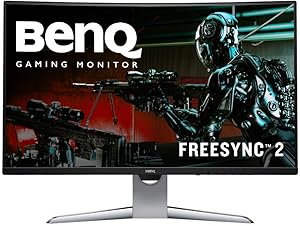
BenQ EX3203R 32" 144Hz Curved Gaming Monitor
2560x144032 InchUSB-CHDR
BenQ's 32-inch curved 144Hz gaming monitor combines WQHD resolution, FreeSync 2 HDR, and USB-C in one immersive package.
$225.75*
Check availability
*Price sourced from Amazon.com. Last updated:Sep 04, 2026.Price and availability are subject to change — details.
Affiliate Disclosure: As an Amazon Associate, Studio Supplies earns from qualifying purchases made through links on this page, at no additional cost to you. This helps support our editorial team.
Notice a mistake? Let Us Know
Overview
Key Features
Level Up the Game: 32 Inch 144Hz VA WQHD (2560x1440) curved edge-to-edge gaming computer monitor features Freesync2 and color optimizer settings.
USB-C Connectivity: Synchronize images, videos, data and charge all of your mobile devices with an all-in-one cable! Easily access your content via the two HDMI ports.
HDR Color Technology: Enhances the brightness and contrast to bring out the realistic details during your game.
Brightness Intelligence (B.I.): Optimizes display performance for work and play to protect your vision while providing a stunning image at the same time.
Specifications
Brand
BenQ
Model
EX3203R
Screen Size
32 inch
Resolution
WQHD (2560x1440)
Refresh Rate
144Hz
Panel Type
VA Curved (1800R)
Adaptive Sync
FreeSync 2 HDR
Features
Brightness Intelligence Plus
Ports
USB-C, 2x HDMI
Frequently Asked Questions
What is the benefit of the 1800R curvature on a 32-inch display?
The 1800R curve wraps the screen edges closer to your peripheral vision at typical desk viewing distances, reducing the need to shift your eyes or head to see the corners. On a 32-inch panel, this creates a more natural, enveloping field of view compared to a flat screen of the same size.
Does FreeSync 2 HDR require a specific graphics card?
FreeSync 2 HDR requires an AMD Radeon graphics card that supports FreeSync 2 to enable variable refresh rate with HDR tone mapping. NVIDIA cards may work for basic adaptive sync via HDMI, but the full FreeSync 2 HDR feature set is designed for AMD GPUs.
What is Brightness Intelligence Plus (B.I.+)?
B.I.+ uses a sensor on the front of the monitor to detect ambient light levels and on-screen content, then automatically adjusts brightness and color temperature to reduce eye strain. It is particularly useful during long gaming or viewing sessions in rooms with changing lighting conditions.
Can this monitor be used for productivity work in addition to gaming?
Yes, the WQHD (2560x1440) resolution on a 32-inch VA panel provides sharp text and ample desktop space for productivity tasks. However, VA panels have slower pixel response transitions than IPS panels, which can cause slight text smearing during fast scrolling.
What devices can connect via the USB-C port?
The USB-C port supports video input from laptops and devices with USB-C DisplayPort Alt Mode output. This allows single-cable connection from compatible laptops, simplifying desk setup. It does not provide power delivery for charging.
Related Products


