



BenQ
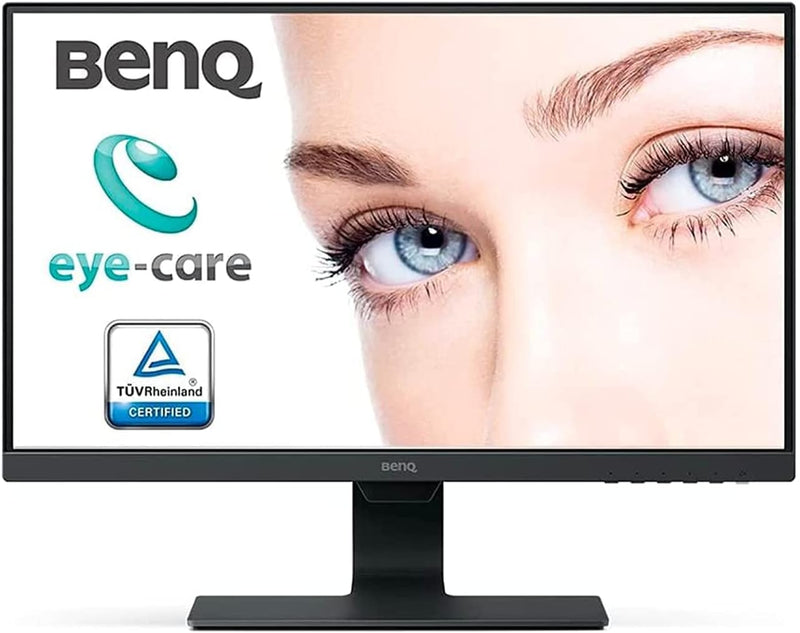
BenQ GW2480T 24" FHD IPS Eye-Care Computer Monitor
FHD1080P24 inch
IPS panel precision meets all-day ergonomics in a 24" FHD monitor engineered to eliminate eye strain before it starts.
$94.99*$159.99Save 40%
Check availability
*Price sourced from Amazon.com. Last updated:Sep 04, 2026.Price and availability are subject to change — details.
Affiliate Disclosure: As an Amazon Associate, Studio Supplies earns from qualifying purchases made through links on this page, at no additional cost to you. This helps support our editorial team.
Notice a mistake? Let Us Know
Overview
Key Features
Work Productively and Comfortably: 24 inch 1080P FHD IPS computer monitor featuring an edge-to-edge display that allows you to focus on the important work. Work, play, and learn all in one place
Eye-Care Tech: Our exclusive Eye-Care technology reduces eye fatigue for optimal comfort, productivity and allows you to work for an extended period of time.
Height Adjustable: Easily customize your workspace to fit what best works for you Adjust the height of the monitor for optimal comfort.
Invisible Cable Management: Easily hide all wires inside the monitor stand for a clean and sleek look.
Brightness Intelligence Technology: Optimizes display performance for work and play to protect your vision while providing a stunning image at the same time.
Specifications
Display Size
24 inches
Resolution
1080P FHD
Panel Type
IPS
Eye-Care Technology
Yes
Adjustability
Height Adjustable
Cable Management
Invisible Cable Management
Brightness Optimization
Brightness Intelligence Technology
Frequently Asked Questions
What specific Eye-Care technologies does the GW2480T use to reduce fatigue?
The GW2480T combines Low Blue Light filtering, an Anti-Glare matte coating, and Adaptive Brightness (Brightness Intelligence Technology). Together these address the three main drivers of eye strain: blue light exposure, screen glare, and brightness mismatch with ambient light — without requiring manual adjustment.
Does the height adjustment on the GW2480T actually matter for ergonomics, or is it a minor range?
It matters. Height adjustment lets you align the top of the screen with eye level — the ergonomic standard that reduces neck and shoulder strain over a full workday. Tilt adjustment is also included, giving you two axes of positioning versus the fixed-angle stands common at this price point.
What display inputs does the GW2480T support, and which should I use?
The GW2480T offers DisplayPort, HDMI, and VGA. Use DisplayPort or HDMI for a digital signal — both carry 1080p at 60Hz without signal degradation. VGA is analog and legacy; only use it if your system lacks digital outputs.
Does the built-in cable management actually hide cables cleanly?
The stand includes an internal routing channel that routes cables through the base, keeping the desk surface clear. It works best with shorter cables routed directly from the ports; longer cables with excess slack will still need management at the desk level.
Are the built-in speakers good enough for daily work use?
They're adequate for video calls, background audio, and system sounds — not for critical listening. For video conferencing or casual background music, they eliminate the need for a separate speaker, which suits a clean-desk workflow.
Related Products


