



BenQ
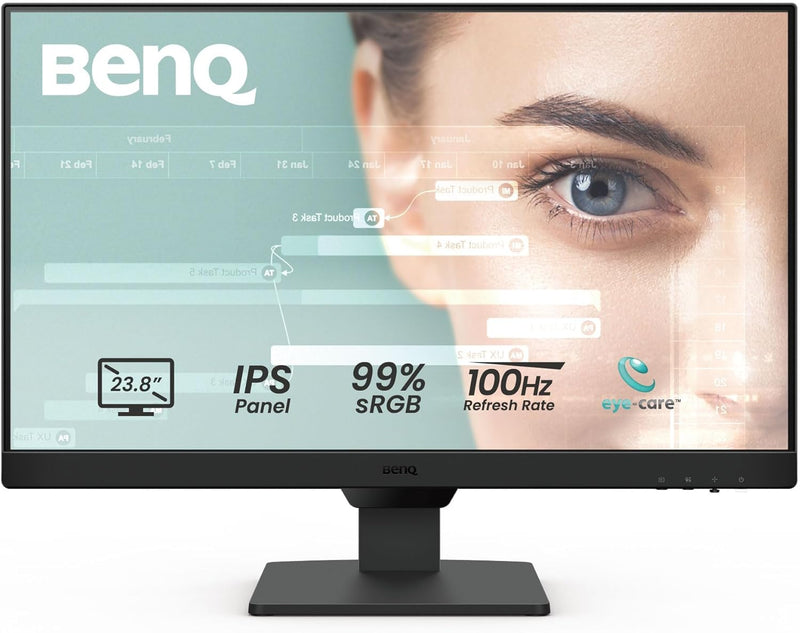
BenQ GW2490 24-Inch 100Hz FHD IPS Eye-Care Monitor
FHDDisplayPortHDR
BenQ 24-inch IPS monitor with 100Hz refresh rate, 99% sRGB accuracy, and built-in eye-care technology for all-day comfort.
$99.99*
View on Amazon
✓ In Stock on Amazon.com
*Price sourced from Amazon.com. Last updated:Sep 05, 2026.Price and availability are subject to change — details.
Affiliate Disclosure: As an Amazon Associate, Studio Supplies earns from qualifying purchases made through links on this page, at no additional cost to you. This helps support our editorial team.
Notice a mistake? Let Us Know
Overview
Key Features
【100Hz Refresh Rate】Enjoy smooth and fluid visuals with our monitor's lightning-fast 100Hz refresh rate, reducing lag and motion blur for a more immersive viewing experience
【Professional 99% sRGB Color Gamut】Experience vivid and lifelike colors with our monitor's 99% sRGB color gamut, ensuring that images and videos are displayed with accurate and true-to-life colors.
【Versatil Connectivity with Easy Switch】Featuring an Input Hotkey for seamless device switching between work and play with a single click Connect to more. With HDMI * 2 and DisplayPort, you can connect to various devices with increased flexibility, making your environment even more convenient & efficient
【VESA Certified Media Sync】Ensures compatibility and performance between displays and devices like media players, set-top boxes, and game consoles. It aims to provide a seamless experience when using these devices together, ensuring that features like HDR, refresh rates, and resolution work optimally.
【BenQ Eye Care Tech-Low Blue Light Plus】Filters out the shorter, higher energy blue-violet radiation harmful to the eyes while maintaining vivid color quality, promoting eye health without compromising visual performance. This feature reduces eye strain during long periods of use
Specifications
Screen Size
23.8 inches
Resolution
1920 x 1080 (Full HD)
Panel Type
IPS
Refresh Rate
100Hz
Color Gamut
99% sRGB
Inputs
2x HDMI 1.4, 1x DisplayPort 1.2
Speakers
2W x 2 built-in
Eye-Care Features
Low Blue Light Plus, Brightness Intelligence, Flicker-Free, Color Weakness Mode
VESA Mount
100 x 100mm
VESA Media Sync
Certified
Frequently Asked Questions
What ports does the BenQ GW2490 offer for connecting devices?
The GW2490 includes two HDMI 1.4 ports and one DisplayPort 1.2 input, and it features an Input Hotkey for one-click switching between connected devices.
Does the BenQ GW2490 have built-in speakers?
Yes, it has built-in 2W x 2 speakers that provide basic audio for everyday use without requiring external speakers.
What eye-care features does the GW2490 include?
It features Low Blue Light Plus technology that filters harmful blue-violet wavelengths while preserving color accuracy, Brightness Intelligence that auto-adjusts to ambient lighting and content, Flicker-Free technology, and a Color Weakness mode for users with color vision deficiencies.
Can the BenQ GW2490 be wall-mounted?
Yes, it supports 100x100mm VESA mounting, allowing it to be attached to compatible wall mounts or monitor arms.
What is VESA Media Sync certification on this monitor?
VESA Media Sync ensures optimized compatibility between the GW2490 and connected devices like media players and game consoles, so features such as refresh rate and resolution work seamlessly together.
Related Products


