



BenQ
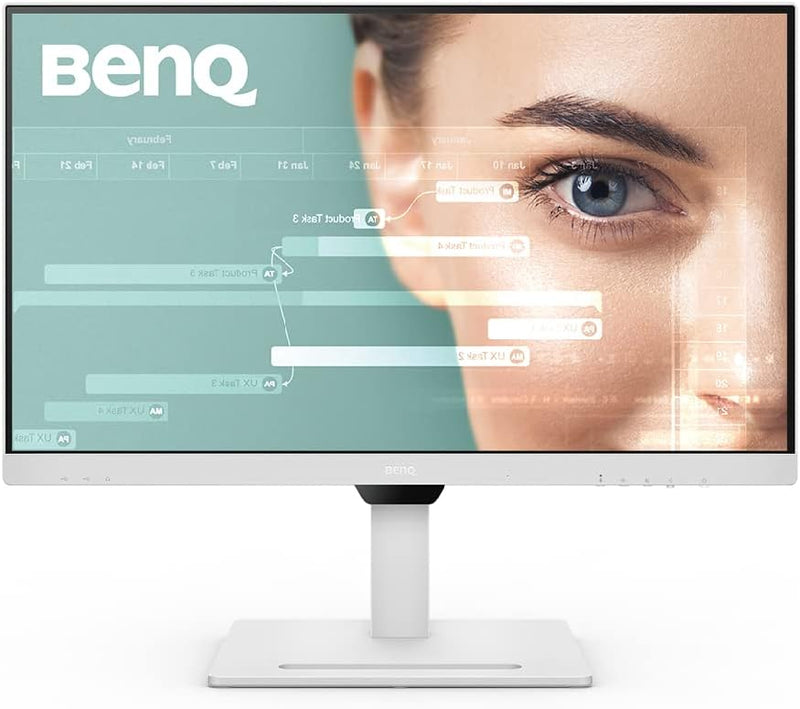
BenQ GW2790QT 27" 1440p IPS Monitor USB-C Ergonomic
1440p65WUSB-CDisplayPort
Single-cable 65W charging plus QHD 1440p at 144Hz eliminates desktop clutter while delivering the resolution and speed serious productivity demands.
$209.99*$279.99Save 25%
Check availability
*Price sourced from Amazon.com. Last updated:Sep 04, 2026.Price and availability are subject to change — details.
Affiliate Disclosure: As an Amazon Associate, Studio Supplies earns from qualifying purchases made through links on this page, at no additional cost to you. This helps support our editorial team.
Notice a mistake? Let Us Know
Overview
Key Features
USB-C CONNECTIVITY: one cable delivers fast audio, video, and 65W quick charging for laptop and peripherals
NOISE FILTER SPEAKERS & NOISE CANCELLATION MICROPHONE: built-in mic & speakers filter ambient sound and bring out important vocal cues for clear audio
ERGONOMICS W/ HEIGHT ADJUSTMENT: allow easy customization for flexible working and create seamless multi-monitor setups with daisy chain
CHIC ID W/ OPTIONAL BASE COVER: optional base cover with special built-in functions for organizing cables, stationery, and personal decorations
INTEGRATED VERSATILE IO PORTS: thoughtfully-placed connection ports including HDMI, DisplayPort, USB-A and USB-C heighten convenience
Specifications
Screen Size
27 Inches
Resolution
2560x1440 (QHD)
Panel Type
IPS
Refresh Rate
144Hz
Response Time
0.5ms (MPRT)
Aspect Ratio
16:9
Color Gamut
99% sRGB
USB-C Power Delivery
65W
Connectivity
USB-C, HDMI, DisplayPort, USB-A
Ergonomics
Height Adjustment, Tilt, Pivot, Swivel
Audio
Noise-Cancelling Mic and Speakers
Daisy Chain
Yes (DisplayPort out)
Frequently Asked Questions
What does USB-C single-cable connectivity actually mean for my workflow?
One USB-C cable carries 4K-equivalent QHD video signal, USB data, and up to 65W of power delivery simultaneously. For laptop users, that means plugging in a single cable connects your display and charges your machine — no separate power brick required at the desk.
Will the 65W USB-C Power Delivery charge a MacBook Pro or a Dell XPS at full speed?
65W covers most thin-and-light laptops like the MacBook Air and 13-inch MacBook Pro at or near their rated charging speed. Larger 15-16 inch laptops that require 90-140W will charge at a reduced rate — functional but slower under sustained load.
What is the daisy chain feature and how does it work on the GW2790QT?
Daisy chaining lets you connect a second monitor via DisplayPort out from this monitor, running both displays from a single cable to your laptop. This requires your source device to support MST (Multi-Stream Transport) over DisplayPort.
Does the 0.5ms response time mean it is suitable for gaming as well as office work?
The 0.5ms figure is the MPRT (moving picture response time) measurement. Combined with a 144Hz refresh rate, the GW2790QT handles casual and mid-tier gaming competently. It is not a dedicated gaming panel — no G-Sync/FreeSync certification is listed — but the specs make it a capable dual-purpose display.
How effective is the built-in noise-cancelling microphone for video calls?
The integrated microphone uses BenQ's Noise Filter technology to isolate voice frequencies and suppress ambient background sound. For daily video conferencing it removes the need for a separate USB microphone, though it will not match a dedicated condenser mic for recording quality.
Related Products


