

BenQ
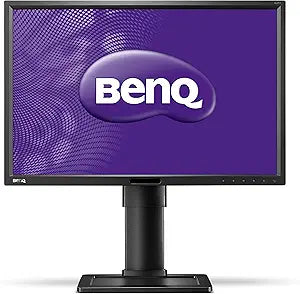
BenQ M352280 BL2411PT 24" LED IPS Monitor 1920x1200
The BL2411PT's 1920x1200 IPS panel delivers 11% more vertical pixels than 1080p — a measurable productivity gain in a fully adjustable 24-inch chassis.
Check availability
Affiliate Disclosure: As an Amazon Associate, Studio Supplies earns from qualifying purchases made through links on this page, at no additional cost to you. This helps support our editorial team.
Notice a mistake? Let Us Know
Overview
Specifications
Screen Size
24"
Display Technology
LED IPS
Resolution
1920x1200
Frequently Asked Questions
What is the practical difference between 1920x1200 and 1920x1080 on this monitor?
1920x1200 adds 120 vertical lines over 1080p, which translates to more visible document content, additional code lines, and a taller viewport in browsers and spreadsheets — without requiring a larger screen. The 16:10 aspect ratio is favored by developers and designers who work in vertically-oriented content rather than widescreen video.
What are the display input options on the BL2411PT?
The monitor provides VGA (analog), DVI (dual-link digital), and DisplayPort inputs. For best image quality, use DisplayPort — it supports the full 1920x1200 resolution at the panel's native refresh rate without the signal degradation possible on older analog VGA connections.
Does the IPS panel have a wide enough viewing angle to be useful in a pivot (portrait) orientation?
Yes. IPS panels maintain color accuracy and contrast across wide viewing angles — typically 178° horizontal and vertical — which is exactly why the BL2411PT's pivot capability is useful. Rotating to portrait mode for document review or code reading works well on IPS because color shifts at oblique angles are minimal compared to TN panels.
What ergonomic adjustments does the stand support?
The BL2411PT stand supports height adjustment, swivel (left/right rotation), tilt, and pivot (90° rotation to portrait). This range covers virtually every ergonomic positioning scenario for a single-monitor desk setup.
Are the built-in speakers adequate for office use?
The integrated speakers are functional for system notification audio and conference call output at modest volumes. They are not acoustically optimized — expect limited low-frequency response and narrow soundstage. For music or media, external speakers or headphones are preferable.
Related Products


