



BenQ
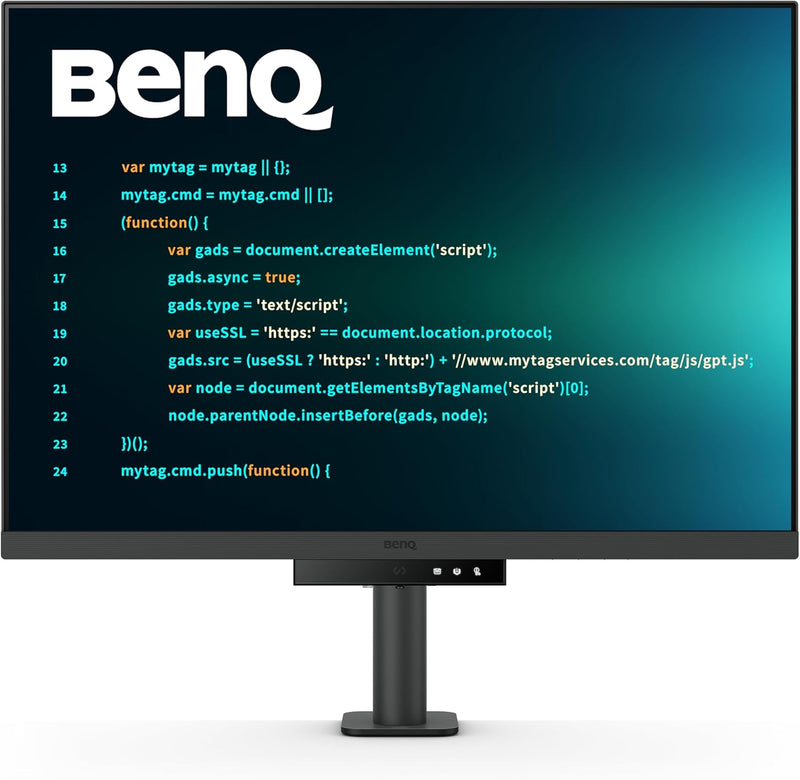
BenQ RD280UA 28.2" 4K Coding Monitor
A 28.2" 4K OLED at 3:2 aspect ratio puts more vertical code on screen with zero glare — purpose-engineered to eliminate the compromises that general-purpose monitors force on developers.
$599.99*$619.99Save 3%
View on Amazon
✓ In Stock on Amazon.com
*Price sourced from Amazon.com. Last updated:Sep 04, 2026.Price and availability are subject to change — details.
Affiliate Disclosure: As an Amazon Associate, Studio Supplies earns from qualifying purchases made through links on this page, at no additional cost to you. This helps support our editorial team.
Notice a mistake? Let Us Know
Overview
Key Features
Nano Matte Panel: Unlock peak productivity with BenQ's exclusive anti-glare, anti-reflective Nano Matte Panel designed for programmers
Advanced Coding Modes for Improved Codes Differentiation: Crafted for programmers, BenQ Programming Monitor offers you full immersion in your code.
Experience Focus with Unique Backlight: Experience MoonHalo by BenQ – a blend of immersive and comforting illumination.
Ergo Arm Stand- Elevating programmers' Desks with Infinite Flexibility: BenQ Ergo Arm enhances flexibility and provides the optimal screen position for a more comfortable and productive user experience.
Keep Your Eyes Fatigue-Free: Experience unmatched eye comfort during night hours with our Night Hours Protection and Brightness Intelligence Gen2.
Specifications
Screen Size
28.2 Inches
Resolution
3840x2560 (4K UHD)
Aspect Ratio
3:2
Panel Type
OLED
Screen Finish
Nano Matte (Anti-Glare, Anti-Reflective)
Response Time
5ms
Refresh Rate
60 Hz
Connectivity
USB Type-C, HDMI
USB-C Power Delivery
90W
USB Ports
5
Special Features
MoonHalo Backlight, Ergo Arm Stand, Night Hours Protection, Brightness Intelligence Gen2, Flicker-Free, Low Blue Light
Color
Grey
Model
RD280UA
Frequently Asked Questions
What does the 3:2 aspect ratio actually change for a developer compared to a 16:9 monitor?
A 3:2 panel at 28.2" provides roughly 13% more vertical screen real estate than a 16:9 display at the same diagonal. In practice, that means more lines of code visible without scrolling, taller terminal windows, and documentation that sits alongside your editor without constant resizing. For workflows where vertical context matters — reading stack traces, reviewing diffs, navigating long functions — it's a measurable productivity gain.
What is the panel type and resolution, and what does that mean for text rendering?
The RD280UA uses an OLED panel at 3840x2560 resolution. OLED produces true per-pixel blacks, which means text characters have absolute contrast against dark backgrounds — no IPS glow or VA bloom bleeding into letterforms. At 28.2" with that pixel density, individual characters are sharp at standard viewing distances, which directly reduces eye strain during extended coding sessions.
What connectivity options does the RD280UA offer, and can it power a laptop?
The monitor includes USB Type-C with 90W Power Delivery and HDMI. The 90W USB-C PD is sufficient to charge most modern laptops — including MacBook Pro models — while simultaneously transmitting video, keeping your desk to a single cable connection.
What is the refresh rate and response time, and is that a limitation for this use case?
The RD280UA runs at 60 Hz with a 5ms response time. For a development monitor, this is not a meaningful limitation — code editors, terminals, and documentation browsers don't require high refresh rates. If you use this display for gaming or high-frame-rate video work as a secondary use case, the 60 Hz ceiling will be a constraint.
What is the MoonHalo backlight and does it affect the panel's display quality?
MoonHalo is an ambient backlight system built into the monitor's rear housing — it projects indirect light toward the wall behind the display to reduce the contrast differential between the bright screen and a dark room, which lessens eye fatigue during night sessions. It does not affect the OLED panel's color output or brightness.
Related Products


