



Blackmagic Design
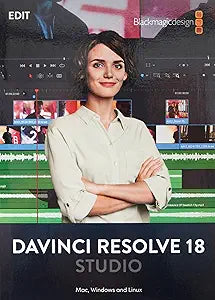
Blackmagic Design 870 DaVinci Resolve Studio Software
DaVinci Resolve Studio unlocks 8K editing, GPU-accelerated color science, and Fairlight audio post in a single perpetual license tied to a portable USB dongle.
$439.00*
Check availability
*Price sourced from Amazon.com. Last updated:Oct 21, 2026.Price and availability are subject to change — details.
Affiliate Disclosure: As an Amazon Associate, Studio Supplies earns from qualifying purchases made through links on this page, at no additional cost to you. This helps support our editorial team.
Notice a mistake? Let Us Know
Overview
Key Features
USB Dongle Version
Third party panels
DaVinci Color Collection Software
Specifications
Product Type
Software
Version
USB Dongle Version
Included Software
DaVinci Color Collection Software
Frequently Asked Questions
What does the USB dongle version mean for licensing — can I run Resolve Studio on multiple machines?
The dongle IS the license. You can install DaVinci Resolve Studio on as many machines as you want, but the software only activates on the machine the USB dongle is currently plugged into. Unplug and move the dongle to switch workstations — no online activation required.
What is the performance difference between the free DaVinci Resolve and this Studio version?
Resolve Studio removes the 4K output cap present in the free version, adds noise reduction tools (Temporal and Spatial NR), unlocks the DaVinci Neural Engine for AI-powered features, enables collaboration with multiple editors on the same project, and adds support for stereoscopic 3D and HDR delivery formats. The free version is capable but Studio is the professional tier.
Does DaVinci Resolve Studio require a specific GPU, and what bottleneck does GPU selection solve?
Resolve Studio supports CUDA (NVIDIA), OpenCL, and Metal (Apple Silicon/AMD), but GPU is the primary performance bottleneck for real-time color grading and effects rendering. More VRAM directly translates to the complexity of node trees and effects you can grade in real time without rendering. A minimum of 4GB VRAM is practical; 8GB+ is recommended for 8K workflows.
Is this version compatible with macOS, Windows, and Linux, and are there version-specific limitations?
Yes — DaVinci Resolve Studio is officially supported on all three platforms. The dongle works across OSes. Note that the specific build version you receive may require an update download from Blackmagic to access the latest feature set; Blackmagic provides free updates to all registered Studio users.
What does "DaVinci Color Collection Software" listed as a feature actually mean?
This refers to the included set of color presets, LUTs, and DaVinci Color Science tools bundled with the Studio license — including the DaVinci Wide Gamut color space and DaVinci Intermediate gamma curve used for high-dynamic-range and cinema workflows. These tools are part of the Resolve Studio environment and don't require a separate installation.
Related Products


