



Blackmagic Design
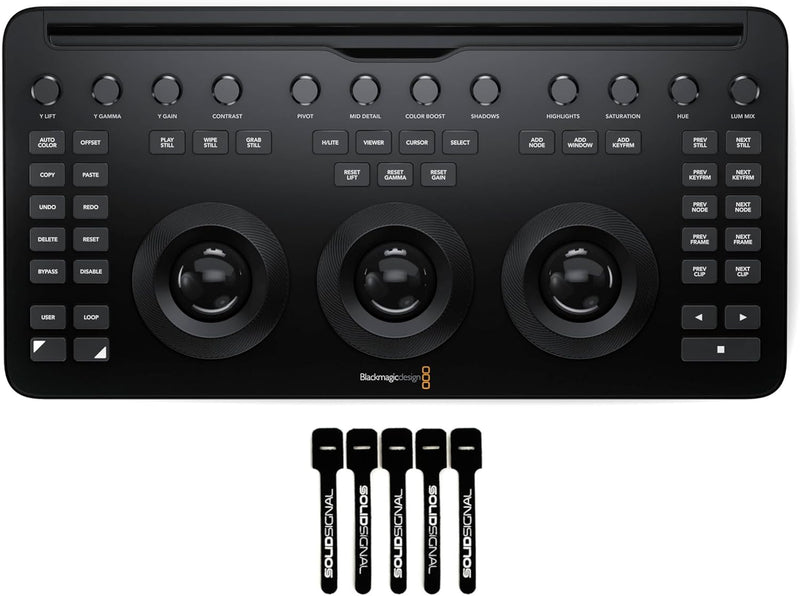
Blackmagic Design DV/RES/AAAPNLMIC/EN DaVinci Micro Panel
USB-C
Unlock Your Creative Vision with Precision Color Grading The Blackmagic Design DaVinci Resolve Micro Color Panel offers a compact yet comprehensive solution for color correction, providing tactile control to enhance your creative workflow. Included with the panel are Solid Signal Cable Ties to k...
$509.00*
Check availability
*Price sourced from Amazon.com. Last updated:Oct 21, 2026.Price and availability are subject to change — details.
Affiliate Disclosure: As an Amazon Associate, Studio Supplies earns from qualifying purchases made through links on this page, at no additional cost to you. This helps support our editorial team.
Notice a mistake? Let Us Know
Overview
Unlock Your Creative Vision with Precision Color Grading
The Blackmagic Design DaVinci Resolve Micro Color Panel offers a compact yet comprehensive solution for color correction, providing tactile control to enhance your creative workflow. Included with the panel are Solid Signal Cable Ties to keep your workstation tidy and organized.
Specifications:
- Brand: Blackmagic Design
- Model: DV/RES/AAAPNLMIC/EN
- Compatibility: Mac, Windows, and Linux via DaVinci Resolve
- Connectivity: USB-C, Bluetooth
-
Features:
- Direct control knobs
- Trackballs with rings
- Backlit keys
- Special Features: Portable, Backlit, Hotkeys and Media Keys, Rechargeable
- Included: Solid Signal Cable Ties
- Keyboard Description: Multimedia
- Color: Black
- Button Quantity: 52
- Power Source: USB power
Key Features
Features a row of direct control knobs at the top of the panel, three trackballs with rings for color grading and transport keys to speed up your grading session.
Twelve primary color correction control knobs that make it easy to quickly adjust image contrast, saturation, hue, temperature, tint, midtone detail, color boost, shadows, highlights and more.
The keys are backlit so you can easily see which controls are active in low light.
Connects via USB-C or Bluetooth.
Specifications
Controls
Direct control knobs, 3 trackballs with rings, transport keys
Color Correction Knobs
12 primary control knobs
Adjustments
Contrast, saturation, hue, temperature, tint, midtone detail, color boost, shadows, highlights
Key Feature
Backlit keys
Connectivity
USB-C, Bluetooth
Frequently Asked Questions
What types of color correction adjustments can be made with this panel?
This panel features twelve primary color correction control knobs that allow for quick adjustments to image contrast, saturation, hue, temperature, tint, midtone detail, color boost, shadows, and highlights, among others.
How does this panel connect to a computer?
The Blackmagic Design DaVinci Micro Panel connects via USB-C or Bluetooth, offering flexible connectivity options.
Are the keys on the panel illuminated for use in dark environments?
Yes, the keys on this panel are backlit, making it easy to see which controls are active even in low-light conditions.
What are the main features designed to speed up the grading process?
The panel includes a row of direct control knobs, three trackballs with rings for color grading, and dedicated transport keys to help accelerate your grading sessions.
Is this panel suitable for users new to color grading?
While designed to speed up grading sessions, the panel features a comprehensive set of controls that may require some familiarity with color correction workflows to fully utilize.
Related Products


