



Canon
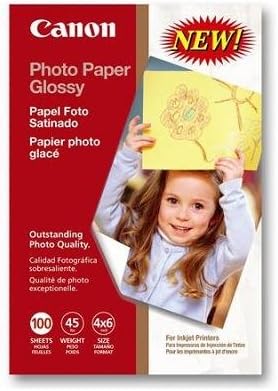
Canon 0775B022 Glossy 4x6 Photo Paper 100 Sheets
Canon's optimized 4x6 glossy photo paper delivers true-to-display color reproduction at home without the cost overhead of lab printing.
View price on Amazon
Affiliate Disclosure: As an Amazon Associate, Studio Supplies earns from qualifying purchases made through links on this page, at no additional cost to you. This helps support our editorial team.
Notice a mistake? Let Us Know
Overview
Key Features
Provides outstanding photo quality.
A picture perfect Canon match!
Pack of 100 Sheets
Specifications
Brand
Canon
Part Number
0775B022
Size
4 x 6 inches
Finish
Glossy
Sheet Count
100 Sheets
Compatible Printer Type
Inkjet
Frequently Asked Questions
Is this paper compatible with non-Canon inkjet printers?
The paper is physically compatible with any inkjet printer that accepts 4x6 media, but Canon optimizes the coating chemistry for its own FINE inkjet nozzle technology and dye or pigment formulations. Results on non-Canon printers will vary — color accuracy and drying time may differ depending on the ink system used.
Does the glossy finish affect color gamut or saturation compared to matte photo paper?
Yes. The glossy coating reflects light in a way that increases perceived color depth and saturation, particularly in shadow detail and saturated hues. Matte paper absorbs more light, reducing glare but compressing the apparent dynamic range. For vibrant consumer photos, glossy consistently renders more visually punchy results.
How should this paper be stored to prevent yellowing or color shift over time?
Store unused sheets in the original sealed packaging in a cool, dry location away from direct sunlight and humidity. Once printed, display behind UV-protective glass or store in archival sleeves — standard home environments without UV protection will accelerate fading over years, particularly with dye-based inks.
What printer settings should I use to get the best output on this paper?
Select "Photo Paper Plus Glossy" or the closest glossy photo paper preset in your Canon printer driver, and set the media type to match. Using a plain paper setting will under-deliver ink volume relative to what the coating can absorb, resulting in washed-out output. Print quality should be set to the highest DPI your printer supports for 4x6 output.
Can this paper be used in laser printers?
No. This is an inkjet-optimized glossy paper. Using it in a laser printer — which uses heat-fused toner — can damage the printer's fuser assembly and will not produce usable output. Use only in inkjet printers.
Related Products


