



Canon
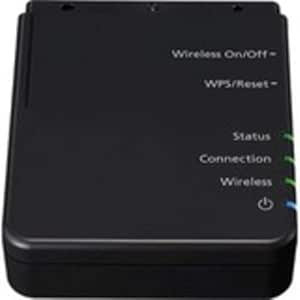
Canon 2998C002 NA10 Network Adapter for Scanners
Turn your standalone Canon imageFORMULA scanner into a shared office network resource with a single Ethernet adapter.
$169.00*
Check availability
*Price sourced from Amazon.com. Last updated:Aug 30, 2026.Price and availability are subject to change — details.
Affiliate Disclosure: As an Amazon Associate, Studio Supplies earns from qualifying purchases made through links on this page, at no additional cost to you. This helps support our editorial team.
Notice a mistake? Let Us Know
Overview
Key Features
NA10 network adapter
Specifications
Brand
Canon
Model
NA10
Part Number
2998C002
Connectivity
Ethernet
Compatibility
Select Canon imageFORMULA document scanners
Mobile Scanning
Via Canon CaptureOnTouch Job Tool App (Wi-Fi required)
Features
Scanner sharing, desktop application scanning, mobile device scanning
Frequently Asked Questions
Which Canon scanners is the NA10 compatible with?
The NA10 works with select Canon imageFORMULA document scanners only. Before purchasing, verify your specific imageFORMULA model against Canon's official compatibility list — not all models in the line support this adapter.
Does the NA10 support wireless networking or only Ethernet?
The NA10 connects via Ethernet only. Wi-Fi is a separate requirement on your mobile device for mobile scanning via the Canon CaptureOnTouch Job Tool App — the adapter itself uses a wired network connection.
Can multiple users scan to different destinations after installing the NA10?
Yes. That is the primary workflow benefit. Multiple users on the same network can access the scanner from their own workstations via supported scanning software, each routing documents to their own scan destinations.
Does the NA10 require software installation or configuration?
Yes. Canon's CaptureOnTouch software and the NA10's configuration utility are required for full functionality — including network setup and scan-to-destination job configuration. A Windows workstation is typically needed for initial setup.
Does the NA10 replace the USB connection or add to it?
The NA10 adds Ethernet network capability to compatible imageFORMULA scanners. Whether it supplements or replaces the USB connection depends on your specific scanner model — consult your imageFORMULA's documentation for the exact behavior.
Related Products

