



Canon
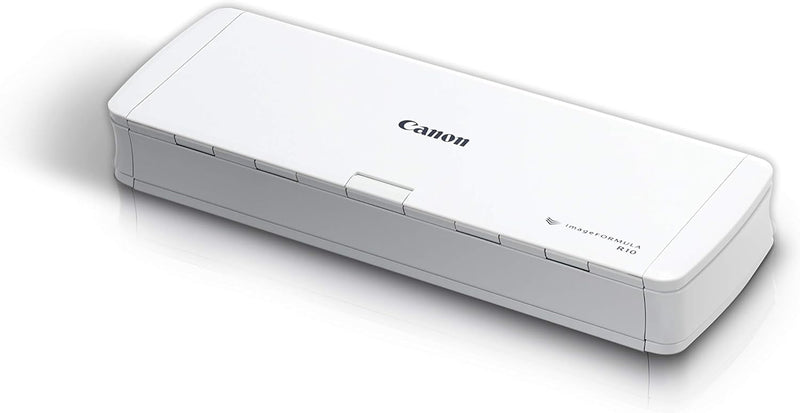
Canon 4861C001 imageFORMULA R10 Portable Scanner
5W7W
Digitize Documents On-The-Go with the Canon imageFORMULA R10 The Canon imageFORMULA R10 Portable Document Scanner is a compact and efficient solution for digitizing documents wherever you are. With its easy USB connectivity, duplex scanning, and automatic document feeder, this scanner makes it s...
$153.00*$184.00Save 16%
View on Amazon
✓ In Stock on Amazon.com
*Price sourced from Amazon.com. Last updated:Oct 08, 2026.Price and availability are subject to change — details.
Affiliate Disclosure: As an Amazon Associate, Studio Supplies earns from qualifying purchases made through links on this page, at no additional cost to you. This helps support our editorial team.
Notice a mistake? Let Us Know
Overview
Digitize Documents On-The-Go with the Canon imageFORMULA R10
The Canon imageFORMULA R10 Portable Document Scanner is a compact and efficient solution for digitizing documents wherever you are. With its easy USB connectivity, duplex scanning, and automatic document feeder, this scanner makes it simple to convert paper documents into searchable digital files.
Specifications: * Scanner Type: Portable Document Scanner * Connectivity: USB * Scanning: Duplex (Two-Sided) * Document Feeder: 20 Sheet Automatic Feeder * Scanning Speed: Up to 12 pages-per-minute * Compatibility: Windows and Mac * Software: Built-in Scanning Software (No Installation Required) * Media Types: Receipts, Business Cards, Plastic Cards, Reports, Legal Documents * Resolution: 600 dpi * Dimensions: 3.75 x 11.2 x 1.57 inches * Weight: 2.2 pounds (998 Grams) * Power Consumption: 2.5W or less (Energy Saving Mode 0.7W) * Sheet Size: 8.5 x 14"Key Features
STAY ORGANIZED – Easily convert your paper documents into digital formats like searchable PDF files, JPEGs, and more.Power Consumption : 2.5W or less (Energy Saving Mode: 0.7W). Suggested Daily Volume : 500 scans..Does it contain liquid: no
CONVENIENT AND PORTABLE –lightweight and small in size, you can take the scanner anywhere from home offices, classrooms, remote offices, and anywhere in between
HANDLES VARIOUS MEDIA TYPES – Digitize receipts, business cards, plastic or embossed cards, reports, legal documents, and more
FAST AND EFFICIENT – No technical hurdles or complicated setups here; easily scan both sides of a document at the same time, in color or black-and-white, at up to 12 pages-per-minute, and with a 20 sheet automatic feeder
BROAD COMPATIBILITY – Works with both Windows and Mac devices, be it laptop or computer
BUILT-IN SOFTWARE – Use your scanner with ease as the powerful scanning software is already built-in, requires no installation, and updates automatically
PREVIEW YOUR SCANS – Adjust and organize your scanned files as you edit, straighten, and trim your files or create buttons with custom scanning settings and destinations
HIGH-QUALITY IMAGING – Leveraging the same technology used in Canon’s camera products, you’ll save great-looking output in color, black-and-white, or grayscale
SUSTAINABLE DESIGN – Save energy and the environment with a scanner that is ENERGY STAR Certified
This product is not intended for scanning photographs on photo paper / photographic media
Specifications
Product Type
Portable Scanner
Output Formats
Searchable PDF files, JPEGs
Scan Speed
Up to 12 pages-per-minute
Automatic Document Feeder (ADF) Capacity
20 sheets
Operating System Compatibility
Windows, Mac
Software
Built-in, no installation required, automatic updates
Imaging Technology
Canon camera technology
Certifications
ENERGY STAR Certified
Power Consumption
2.5W or less (Energy Saving Mode: 0.7W)
Suggested Daily Volume
500 scans
Frequently Asked Questions
What types of documents can the Canon imageFORMULA R10 scanner handle?
The Canon imageFORMULA R10 can digitize a wide array of media types, including receipts, business cards, plastic or embossed cards, reports, and legal documents.
Is this scanner easy to set up for new users?
Yes, it is designed for ease of use with no technical hurdles or complicated setups, and features powerful built-in software that requires no installation.
Can the Canon R10 scan both sides of a document simultaneously?
Yes, this scanner is efficient and can easily scan both sides of a document at the same time, whether in color or black-and-white.
Is the Canon imageFORMULA R10 suitable for scanning old family photos?
No, the product explicitly states that it is not intended for scanning photographs on photo paper or photographic media.
Does this scanner work with both Windows and Mac computers?
Yes, the Canon imageFORMULA R10 offers broad compatibility and works with both Windows and Mac devices, including laptops and desktop computers.
Related Products


