



Canon
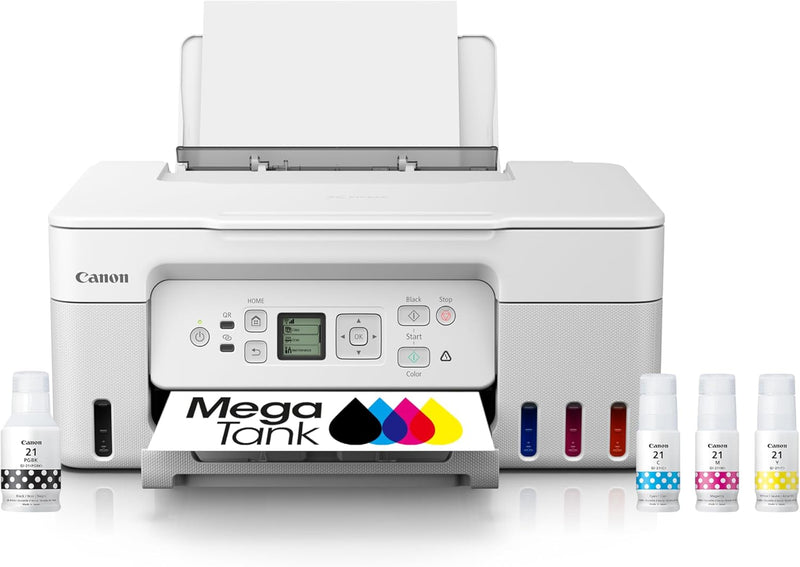
Canon 5805C022 MegaTank G3270 Wireless All-in-One Inkjet Printer
Refillable ink tank system prints up to 6,000 black and 7,700 color pages per fill, slashing per-page costs for high-volume home printing.
$159.99*$248.99Save 35%
View on Amazon
✓ In Stock on Amazon.com
*Price sourced from Amazon.com. Last updated:Aug 29, 2026.Price and availability are subject to change — details.
Affiliate Disclosure: As an Amazon Associate, Studio Supplies earns from qualifying purchases made through links on this page, at no additional cost to you. This helps support our editorial team.
Notice a mistake? Let Us Know
Overview
Key Features
Wireless Print/Copy/Scan
Up to 2 years of ink included (2)
Print up to 6,000 black & white / 7,700 color pages using a single set of inks! (1)
Save up to $1,000 on ink (1)
1.35” Square LCD display
Single-sided printing
See below for disclaimers
Specifications
Functions
Print, Copy, Scan
Print Technology
Inkjet (Integrated Ink Tanks)
Print Speed (Black)
11 ipm
Print Speed (Color)
6 ipm
Page Yield (Black)
Up to 6,000 pages
Page Yield (Color)
Up to 7,700 pages
Paper Capacity
100-Sheet Rear Tray
Display
1.35" Square LCD
Connectivity
Wi-Fi, USB
Duplex Printing
Manual only (single-sided)
Model
5805C022
Frequently Asked Questions
How does the MegaTank ink system differ from a standard cartridge printer in terms of running costs?
The G3270 uses integrated refillable ink tanks rather than disposable cartridges. Canon rates the included ink supply at up to 6,000 black-and-white pages and 7,700 color pages. On a per-page basis, this is dramatically cheaper than replacing standard ink cartridges. Canon claims potential savings of up to $1,000 on ink costs over the life of the printer compared to cartridge-based models — though actual savings depend heavily on your print volume and page coverage.
Does the G3270 support automatic two-sided (duplex) printing?
No. The G3270 is a single-sided printer only. Each page must be manually flipped to print on the reverse side. For users who regularly print double-sided documents, this is a meaningful workflow constraint versus laser or higher-tier inkjet models.
What wireless connectivity options does this printer support?
The G3270 supports Wi-Fi, allowing wireless printing from computers and mobile devices on the same network. It also connects via USB for wired setups. Canon's PRINT app enables direct printing from iOS and Android devices.
What is the print speed, and is it fast enough for a home office?
Canon rates the G3270 at 11 images per minute (ipm) for black-and-white and 6 ipm for color. For light-to-moderate home use — occasional documents, forms, and school assignments — this is adequate. It is not suited for high-volume burst printing or time-sensitive office workflows where speed is critical.
Can this printer scan to a computer or cloud service?
Yes. The G3270 includes a flatbed scanner and supports scan-to-computer via USB or wireless connection. Cloud scanning features depend on the software configuration; basic scan-to-file on a local network is supported out of the box.
Related Products


