



Canon
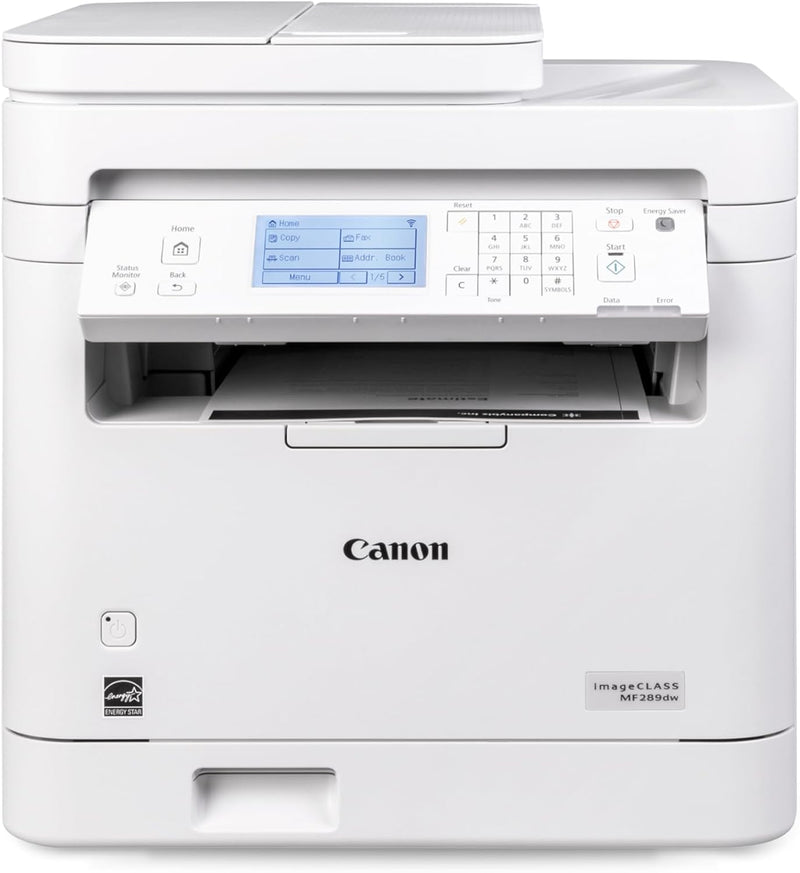
Canon imageCLASS MF289dw Wireless Laser Printer
Streamline Your Workflow with the Canon imageCLASS MF289dw The Canon imageCLASS MF289dw is an all-in-one wireless duplex laser printer designed for efficiency and convenience. With fast printing speeds, mobile printing capabilities, and automatic duplexing, this printer streamlines your workflow...
View price on Amazon
Affiliate Disclosure: As an Amazon Associate, Studio Supplies earns from qualifying purchases made through links on this page, at no additional cost to you. This helps support our editorial team.
Notice a mistake? Let Us Know
Overview
Streamline Your Workflow with the Canon imageCLASS MF289dw
The Canon imageCLASS MF289dw is an all-in-one wireless duplex laser printer designed for efficiency and convenience. With fast printing speeds, mobile printing capabilities, and automatic duplexing, this printer streamlines your workflow and reduces paper costs.
Specifications:- Functions: All in One, Wireless, Duplex
- Print Technology: Laser
- Print Speed: Up to 35 pages-per-minute (letter)
- First Print Out Time: Less than 4.9 seconds (letter)
- Mobile Printing: Canon Print App, Canon PRINT Business, Apple AirPrint, Mopria Print Service
- Duplex Printing: Auto 2-sided print
Key Features
Print up to 35 pages-per-minute with a first print out of time of less than 4.9 seconds (letter)
Print on-the-go with Canon Print App, Canon PRINT Business, Apple AirPrint and Mopria Print Service
High capacity toner option keeps up with your printing needs and limits toner replacement interruptions
Auto 2-sided print saves paper and related costs
Send scanned documents to / forward received faxes to email or file server
Specifications
Brand
Canon
Model
imageCLASS MF289dw
Printer Type
Wireless Laser Printer
Print Speed
Up to 35 pages-per-minute
First Print Out Time
Less than 4.9 seconds (letter)
Mobile Printing
Canon Print App, Canon PRINT Business, Apple AirPrint, Mopria Print Service
Toner
High capacity option available
Duplex Printing
Auto 2-sided print
Document Handling
Send scanned documents to email/file server, Forward faxes to email/file server
Frequently Asked Questions
How fast does the Canon imageCLASS MF289dw printer print?
The Canon imageCLASS MF289dw can print up to 35 pages-per-minute, with a first print out time of less than 4.9 seconds for letter-sized documents.
Can I print from my mobile device with this printer?
Yes, this printer supports mobile printing through several services, including Canon Print App, Canon PRINT Business, Apple AirPrint, and Mopria Print Service.
Does this printer have an option for high-capacity toner?
Yes, a high-capacity toner option is available, which helps to meet your printing needs and reduces the frequency of toner replacement.
Does the Canon imageCLASS MF289dw support two-sided printing?
Yes, it features automatic 2-sided printing, which helps to save paper and associated costs.
Can this printer send scanned documents to email?
Yes, the Canon imageCLASS MF289dw allows you to send scanned documents or forward received faxes directly to email or a file server.
Is this a wireless printer?
Yes, the Canon imageCLASS MF289dw is a wireless laser printer.
Related Products


