



Canon
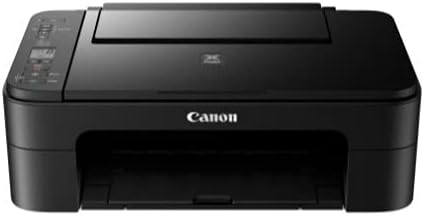
Canon Canon PIXMA TS3320 BK Black Alexa Printer
Wireless printing from any device in under five minutes — the PIXMA TS3320 handles home document and photo printing without the setup friction.
View price on Amazon
Affiliate Disclosure: As an Amazon Associate, Studio Supplies earns from qualifying purchases made through links on this page, at no additional cost to you. This helps support our editorial team.
Notice a mistake? Let Us Know
Overview
Key Features
Wireless connect provides a simple setup process that only takes minutes from your smartphone.(1 )Connect your new printer and your smartphone for a streamlined setup process – no computer needed!
Designed for ease of use and simple replacement, the PIXMA TS3320 only needs 2 fine cartridges for great print quality.
Easily Print from any room - from laptops, tablets, and smartphones - with built-in wi-fi(1).
With AirPrint, effortlessly Print from your iPhone, iPad, and Mac without additional apps.(4)
Specifications
Model Number
PIXMA TS3320
Color
Black
Connectivity
Wireless, Wi-Fi
Cartridge Type
2 Fine Cartridges
Wireless Setup
Smartphone (no computer needed)
Mobile Printing Compatibility
AirPrint (iPhone, iPad, Mac)
Frequently Asked Questions
Does the PIXMA TS3320 require a computer for initial setup, or can I configure it entirely from a smartphone?
Setup can be completed entirely from a smartphone. Canon's wireless setup process guides you through connecting the printer to your home Wi-Fi network using only a mobile device — no PC or Mac required at any point during installation.
What are the actual print speeds for documents on the TS3320?
Canon rates the TS3320 at 7.7 ppm for monochrome and 4.0 ppm for color output. These are the ISO standard measurements, which typically reflect steady-state throughput on multi-page jobs rather than single-page burst speed.
Does AirPrint on the TS3320 require any additional app installation on iPhone or iPad?
No additional apps are required. AirPrint is natively supported by iOS and iPadOS — as long as your iPhone, iPad, or Mac is on the same Wi-Fi network as the printer, it will appear automatically in the print dialog.
How many ink cartridges does the TS3320 use, and what are the replacement cartridge numbers?
The TS3320 uses a two-cartridge system — one black (FINE cartridge) and one tricolor. Canon designed this system specifically for simplicity of replacement. The compatible cartridge series is the PG-243/CL-244 family, which is widely available.
Can the TS3320 scan and copy as well as print?
Yes — the TS3320 is an all-in-one unit with a flatbed scanner and copy functionality built in, in addition to wireless printing. The scanner supports standard document and photo scanning via the Canon PRINT Inkjet/SELPHY app or a connected computer.
Related Products


