



Canon
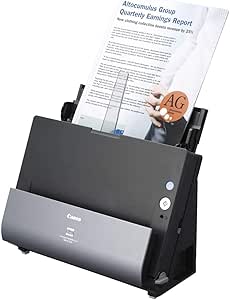
Canon DR-C225 imageFormula Home Office Document Scanner
8W9W5W
Upright-footprint document scanning at up to 25 ppm brings home-office paper workflows into the digital age without consuming your entire desk.
$392.65*
View on Amazon
✓ In Stock on Amazon.com
*Price sourced from Amazon.com. Last updated:Oct 10, 2026.Price and availability are subject to change — details.
Affiliate Disclosure: As an Amazon Associate, Studio Supplies earns from qualifying purchases made through links on this page, at no additional cost to you. This helps support our editorial team.
Notice a mistake? Let Us Know
Overview
Key Features
Space Saving Design To feeding and default top eject Upright design Dimensions (H x W x D) 8 7" x 11 8" x 6 1" Cable routing from either side of the scanner Device can be placed flush against a wall
Easy Use Front-side-forward top-up item feeding Eliminates the need to flip documents Full Auto Mode Automatically adjusts multiple settings with a single click Canon CapturenTouch ISIS & TWAIN drivers for Windows TWAIN for Mac
Customer Care ne year included - Advanced Exchange Service optimal eCarePAK extended service available Power consumption Scanning 12 8W or less Sleep mode 1 9W or less Power tuned off 0 5W or less
High Image Quality Shadow Cropping DE skew / straighten scanned images Auto Resulting setting for scanning mixed batches text documents and photographs Auto color Detection optical Character Recognition (CR)
Home and Small Office ready
Specifications
Scanner Type
Sheetfed ADF (duplex)
Scanning Speed
25 ppm simplex / 25 ipm duplex
Form Factor
Upright, front-feed, top-eject
Dimensions (H×W×D)
8.7" × 11.8" × 6.1"
Interface
USB
Driver Support
ISIS & TWAIN (Windows), TWAIN (Mac)
Software
Canon CaptureOnTouch
Power (Scanning)
12.8W or less
Power (Sleep)
1.9W or less
Power (Off)
0.5W or less
Warranty
1-year Advanced Exchange Service
Brand
Canon
Model
DR-C225
Frequently Asked Questions
What is the scanning speed of the DR-C225, and is it fast enough for regular batch scanning?
The DR-C225 is rated at 25 pages per minute (ppm) simplex and 25 images per minute (ipm) duplex. For a home or small-office user scanning invoices, contracts, or receipts in batches of 20–50 pages, that throughput handles a realistic daily document load without becoming a bottleneck.
Does the DR-C225 require dedicated drivers, or is it plug-and-play on modern operating systems?
The DR-C225 uses Canon's CaptureOnTouch software with ISIS and TWAIN drivers for Windows, and TWAIN for Mac. It is not a pure plug-and-play device — driver installation is required for full functionality. The ISIS/TWAIN support means it integrates with most third-party document management and OCR applications that support standard scanning protocols.
What does the upright design mean practically, and can the scanner be placed against a wall?
The DR-C225's upright design means documents feed in from the front and eject upward at the top of the unit, keeping the entire footprint to its base dimensions (8.7" H × 11.8" W × 6.1" D when closed). Cable routing channels on either side of the chassis allow the USB cable to exit cleanly regardless of desk orientation, and the device is specifically designed to sit flush against a wall — making it practical on a credenza or shelf with limited front-to-back depth.
Does the DR-C225 support duplex (double-sided) scanning in a single pass?
Yes, the DR-C225 scans both sides of a document in a single pass via its duplex scanning mechanism. Combined with the auto de-skew and auto color detection features, it processes mixed batches of single-sided and double-sided documents without requiring manual sorting or re-feeding.
What paper sizes and types can the DR-C225 handle?
The DR-C225 handles standard office document sizes. The front-side-forward top-up feeding system and auto-feed mechanism accommodate typical paper stocks. Business cards, receipts, and mixed-thickness batches require more care — the DR-C225 is optimized for standard paper documents rather than thick card stock or fragile originals that demand a flatbed scanner.
Related Products


