



Canon
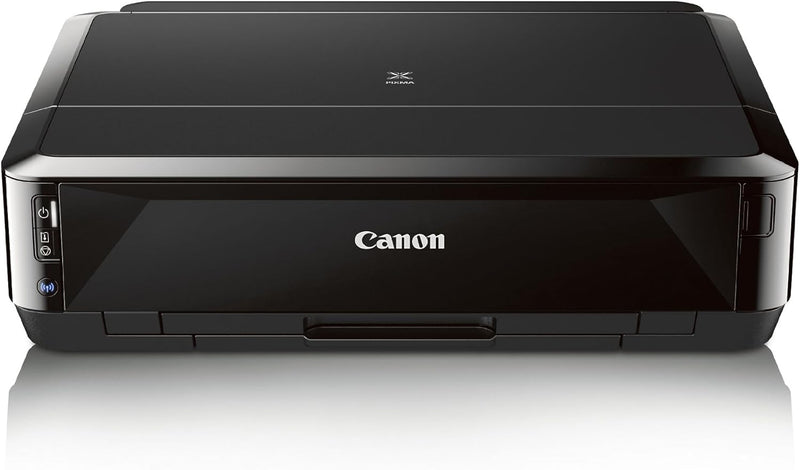
Canon IP7220 Wireless Photo Printer Color Inkjet
9600 x 2400
Lab-quality 9600 x 2400 dpi output with wireless and duplex printing built in — the Canon iP7220 turns a home setup into a capable photo print station.
$349.99*
Check availability
*Price sourced from Amazon.com. Last updated:Aug 30, 2026.Price and availability are subject to change — details.
Affiliate Disclosure: As an Amazon Associate, Studio Supplies earns from qualifying purchases made through links on this page, at no additional cost to you. This helps support our editorial team.
Notice a mistake? Let Us Know
Overview
Key Features
AirPrint: Print wirelessly and effortlessly from your compatible iPhone?, iPad?, or iPod touch?- no drivers needed!
5 Individual Ink Tank System: producing exceptional photos and crisp, laser-quality text & Superior 9600 x 2400 dpi photo resolution and gray ink.Kindly refer the User Manual and Installation steps for further Info.
Compatible with Individual/Combo CLI-251 XL Ink Tanks (Cyan, Magenta, Yellow, Black) & PGI-250 XL Pigment Black Ink Tanks. Only Replace The Ink That Runs Out!
Built-In Auto Duplex Printing: Automatically print on both sides of the page without the hassle of turning it over manually.Built-in CD and DVD Printing: Conveniently print directly onto inkjet printable CDs, DVDs or Blu-ray Discs (Comes with a CD/DVD tray which is attached to the underside of the main paper tray)
OS Compatibility:Windows 8, Windows RT, Windows 7, Windows 7 SP1, Windows Vista SP1, Vista SP2, Windows XP SP3 32-bit, Intel processor, Mac OS X v10.5.8 - 10.9.x
Specifications
Print Resolution (Color)
9600 x 2400 dpi
Print Resolution (Black)
600 x 600 dpi
Ink System
5 individual tanks (CLI-251 C/M/Y/BK + PGI-250 Pigment Black)
Total Nozzles
5,120 (4,096 color + 1,024 pigment black)
Print Speed (4x6 borderless)
Approx. 21 seconds
Print Speed ESAT (Black)
Approx. 15 ipm
Print Speed ESAT (Color)
Approx. 10 ipm
Wireless
IEEE 802.11b/g/n, AirPrint
Wired Interface
Hi-Speed USB
Paper Sizes
Letter, Legal, 4x6, 5x7, 8x10, #10 Envelopes
Dimensions
17.8" W x 14.5" D x 5.1" H
Weight
14.4 lbs
Frequently Asked Questions
What wireless protocols does the iP7220 support, and will it work on a modern 802.11n network?
The iP7220 supports IEEE 802.11b/g/n Wi-Fi and Apple AirPrint, plus Hi-Speed USB for wired connection. It will connect to any standard 2.4GHz 802.11n router without a driver install for AirPrint-enabled Apple devices.
Does the 5-ink system meaningfully improve photo quality over standard 4-ink setups?
Yes — the addition of a dedicated gray ink cartridge (CLI-251) enables smoother neutral tone rendering in black-and-white prints and reduces the color contamination that causes gray tones to appear slightly warm or cool with a 4-ink CMYK system. The separate pigment black (PGI-250) handles sharp document text while dye-based inks handle photo gradients.
How fast does the iP7220 print a 4x6 photo, and what does that mean for a typical print session?
Canon rates the iP7220 at approximately 21 seconds per 4x6 borderless print. For a batch of 20 prints — a typical event or travel photo session — expect roughly 7 minutes of print time at maximum quality settings.
Can I print directly onto CDs, DVDs, and Blu-ray discs?
Yes — the iP7220 includes a CD/DVD tray (stored under the main paper tray) for printing directly onto inkjet-printable optical discs. This capability requires compatible printable disc media; standard discs without a printable coating will not accept ink.
What are the current ink compatibility requirements, and can I use third-party cartridges?
The iP7220 uses Canon CLI-251 series (C, M, Y, BK) dye-based cartridges and PGI-250 pigment black. XL versions reduce per-page cost. Canon's individual tank system means you replace only depleted colors. Third-party cartridges may work but can trigger firmware warnings and affect color profiling accuracy.
Related Products


