



Canon
Canon ivy 2 Mini Photo Printer - Pure White Portable Printing
USB-CBluetooth 5.0
Print vibrant, peel-and-stick 2x3" photos from your phone with zero ink using Canon's portable ZINK printer bundle.
$179.95*$189.00Save 4%
View on Amazon
✓ In Stock on Amazon.com
*Price sourced from Amazon.com. Last updated:Aug 30, 2026.Price and availability are subject to change — details.
Affiliate Disclosure: As an Amazon Associate, Studio Supplies earns from qualifying purchases made through links on this page, at no additional cost to you. This helps support our editorial team.
Notice a mistake? Let Us Know
Overview
Key Features
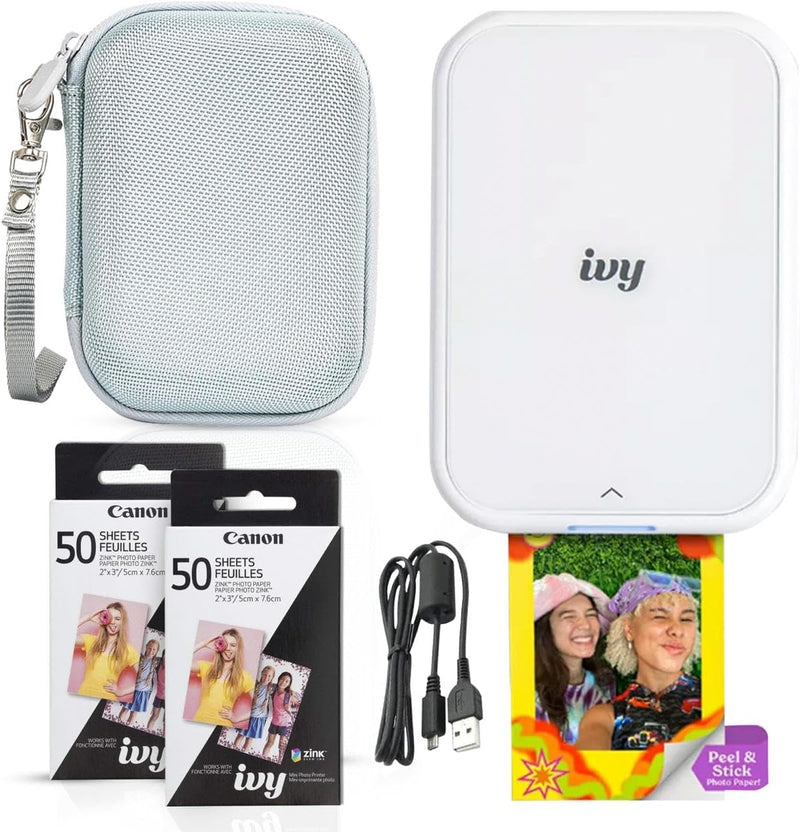
Bundle Includes: Canon IVY 2 Mini Compact Photo Sticker Printer with LED Light Bar (Pure White), Canon Zink Photo Paper Pack (110 Sheets Total: 2 Packs of 50 + 10 Sheets Included in the Printer), Compatible Protective Case, and USB Charging Cable (USB-A to USB-C). Connect your smartphone or tablet via the Canon Mini Print App.
No ink needed! The IVY 2 Mini Photo Printer uses ZINK (Zero Ink) technology, which features colorful dye-based crystals embedded inside the paper.
Place your photos anywhere, thanks to a PEEL & STICK backing that adheres to your favorite surfaces.
PRINT QUALITY IMPROVED in the IVY 2 Mini Photo Printer(optimized skin tone colors, improved photo contrast, optimized photo sharpness)
BETTER CONNECTIVITY for mobile printing using compatible smartphone devices with Bluetooth 5.0 technology
Fast Charging Capability: The Canon IVY 2 Mini Photo Printer powers up in as little as 45 minutes, ensuring you're always ready to print and share
Specifications
Printing Technology
ZINK (Zero Ink)
Print Size
2 x 3 inches
Connectivity
Bluetooth 5.0
Mobile App
Canon Mini Print App (iOS & Android)
Print Backing
Peel & Stick adhesive
Charging
USB-A to USB-C, ~45 minutes fast charge
Bundle Contents
IVY 2 Printer, 110 ZINK Photo Sheets, LED Light Bar, Protective Case, USB Charging Cable
Color
Pure White
Brand
Canon
Model
ivy 2
Frequently Asked Questions
How does the Canon IVY 2 print without ink cartridges?
It uses ZINK (Zero Ink) technology, where dye-based crystals are embedded directly in the special photo paper and activated by heat during printing.
What size photos does the IVY 2 produce?
It prints 2 x 3 inch photos, each with a peel-and-stick adhesive backing.
How do I send photos to the IVY 2 from my phone?
You connect your iOS or Android device via Bluetooth 5.0 and use the free Canon Mini Print App to select, edit, and send photos to the printer.
How long does it take to fully charge the IVY 2?
The fast-charging capability lets it power up in as little as 45 minutes via the included USB-A to USB-C cable.
What is included in this bundle?
The bundle includes the IVY 2 printer, 110 sheets of ZINK photo paper (two 50-packs plus 10 pre-loaded), an LED light bar, a protective carrying case, and a USB charging cable.
Related Products


