

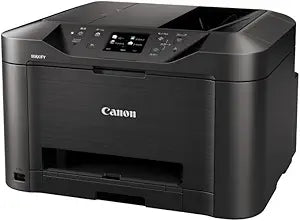
Canon
Canon MAXIFYMB5030 A4 Business Inkjet MFP
A compact all-in-one business inkjet that prints, scans, copies, and faxes for small office productivity.
View price on Amazon
Affiliate Disclosure: As an Amazon Associate, Studio Supplies earns from qualifying purchases made through links on this page, at no additional cost to you. This helps support our editorial team.
Notice a mistake? Let Us Know
Overview
Streamline Business Operations with Efficient Printing
The Canon MAXIFY MB5030 A4 Business Inkjet MFP is designed for small businesses, offering printing, scanning, copying, and faxing functionalities in one compact device. This efficient MFP delivers professional-quality results.
Frequently Asked Questions
What functions does the Canon MAXIFY MB5030 perform?
It is a multifunction printer (MFP) that handles printing, scanning, copying, and faxing in a single device.
What paper size does this printer support?
It supports A4 paper size, which is the standard for most business documents.
Is this printer designed for home or business use?
The MB5030 is specifically designed for small business environments where reliable, professional-quality output is needed.
Does the MB5030 use inkjet or laser technology?
It uses business inkjet technology, which delivers professional-quality prints while generally offering lower per-page costs than comparable laser printers.
Related Products


