

Canon
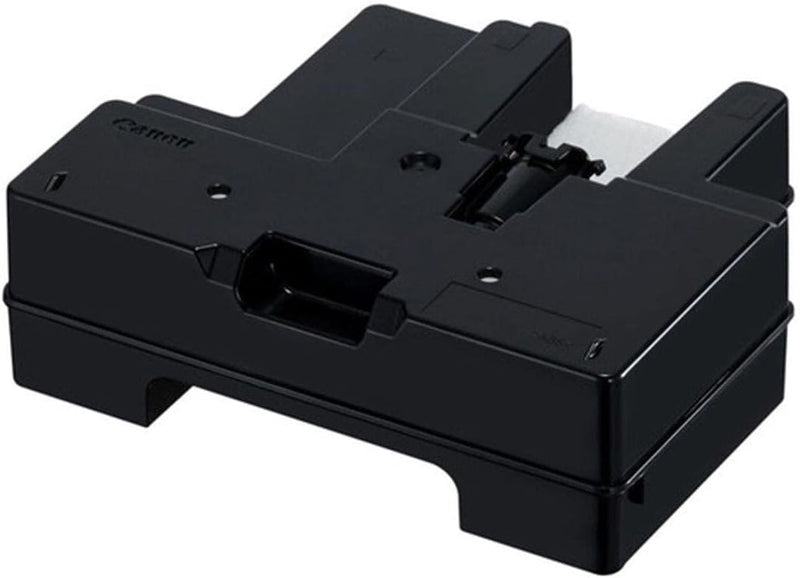
Canon MC-20 Maintenance Cartridge for PRO-1000 Printer
The Canon MC-20 Maintenance Cartridge is the only user-replaceable waste ink solution engineered to keep the imagePROGRAF PRO-1000 printing at peak quality.
$25.95*
View on Amazon
✓ In Stock on Amazon.com
*Price sourced from Amazon.com. Last updated:Aug 30, 2026.Price and availability are subject to change — details.
Affiliate Disclosure: As an Amazon Associate, Studio Supplies earns from qualifying purchases made through links on this page, at no additional cost to you. This helps support our editorial team.
Notice a mistake? Let Us Know
Overview
Key Features
User Replaceable
Package Dimensions: 8.407 L X 18.211 H X 14.808 W (Cm)
Product Type:Inkjet Printer Ink
Country Of Origin: Thailand
Specifications
Type
Inkjet Printer Ink
Compatibility
PRO-1000 Printer
Replaceability
User Replaceable
Package Length
8.407 cm
Package Height
18.211 cm
Package Width
14.808 cm
Country of Origin
Thailand
Frequently Asked Questions
How do I know when the MC-20 Maintenance Cartridge needs to be replaced on the PRO-1000?
The PRO-1000's onboard software and Canon's Print Studio Pro driver will display a warning message when the maintenance cartridge approaches capacity. The printer will halt print jobs before the cartridge overflows — monitoring the status notification prevents unplanned downtime mid-print.
Is the MC-20 a user-replaceable item, or does it require a service technician?
The MC-20 is explicitly designed for user replacement — no tools, service calls, or special training are required. Canon's process involves removing the full cartridge and inserting the new one following the on-screen printer prompts, which walk through each step.
What does the MC-20 actually collect, and why does it fill up?
The MC-20 absorbs waste ink generated during the PRO-1000's automatic printhead cleaning and maintenance cycles. Each cleaning cycle purges a small amount of ink through the heads to prevent clogging — over time, this accumulates in the maintenance cartridge rather than contaminating the printer's internals.
Can I use a third-party maintenance cartridge in the PRO-1000, or is the MC-20 required?
Canon recommends using the genuine MC-20 to ensure the PRO-1000's firmware correctly tracks cartridge capacity and maintenance cycle counts. Third-party alternatives may not communicate fill-level data accurately to the printer, which risks overflow and internal contamination.
Does the MC-20 affect print quality, or is it purely a maintenance component?
The MC-20 itself does not influence print output — it collects waste ink passively. However, a full or overflowing cartridge can cause the printer to halt operations entirely, so keeping a replacement on hand directly protects uninterrupted printing workflow.
Related Products


