



Canon
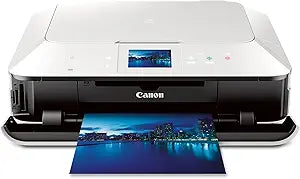
Canon MG7120 WH Wireless Inkjet Photo All-in-One Printer
Six-ink precision and 9600x2400 dpi output put borderless 4x6 prints in your hands in 21 seconds flat.
View price on Amazon
Affiliate Disclosure: As an Amazon Associate, Studio Supplies earns from qualifying purchases made through links on this page, at no additional cost to you. This helps support our editorial team.
Notice a mistake? Let Us Know
Overview
Key Features
AirPrint: Print wirelessly and effortlessly from your compatible iPhone, iPad, or iPod touch- no drivers needed!
Use Android Tablets and Smart Phones to print wirelessly using Mobile Apps and Google Cloud Printing
Compatible with Individual/Combo CLI-251 XL Ink Tanks (Cyan, Magenta, Yellow, Grey, Black) & PGI-250 XL Pigment Black Ink Tanks. Only Replace The Inks That Run Out!
3.5" Touchscreen LCD and Intelligent Touch System - only the buttons you need illuminate
Specifications
Max Color DPI
9600 x 2400
Ink System
Six individual tanks (Cyan, Magenta, Yellow, Gray, Black, Pigment Black)
Compatible Cartridges
CLI-251 XL, PGI-250 XL
Print Speed (Black)
15.0 ipm
Print Speed (Color)
10.0 ipm
Borderless 4x6 Speed
~21 seconds
Display
3.5" Touchscreen LCD with Intelligent Touch System
Connectivity
AirPrint, Built-in Wi-Fi, Google Cloud Print, Wireless PictBridge, Ethernet
Functions
Print, Scan, Copy
Frequently Asked Questions
What ink system does the MG7120 use, and why does it include a gray cartridge?
It uses six individual CLI-251/PGI-250 tanks — Cyan, Magenta, Yellow, Gray, Black, and Pigment Black. The gray ink expands tonal range in monochrome and portrait photography, producing smoother shadow gradations than a five-ink system can achieve. You replace only the depleted tank, not a combined cartridge.
What wireless protocols does this printer support?
The MG7120 supports built-in 802.11 Wi-Fi, AirPrint (for iOS devices without drivers), Google Cloud Print, Wireless PictBridge for direct camera printing, and wired Ethernet. It covers effectively every mainstream connection scenario in a modern home or small office.
How does the 9600x2400 dpi spec translate to real print quality?
Maximum dpi is achieved at reduced print speed using fine droplet placement and the six-ink system. For photographic prints, this means visible detail in fine gradients and textures at close viewing distances — it's meaningful on 4x6 and 5x7 output, less so at larger sizes where viewing distance increases.
What is the practical throughput for documents vs. photos?
Black document output hits 15 ipm and color hits 10 ipm — respectable for a photo-oriented all-in-one. Borderless 4x6 photo output clocks at approximately 21 seconds per sheet, which is competitive in its class.
Does the MG7120 support scanning and copying, or only printing?
It is a full all-in-one — print, scan, and copy functions are all included. The scanner flatbed is suitable for document and photo scanning.
Related Products


