



Canon
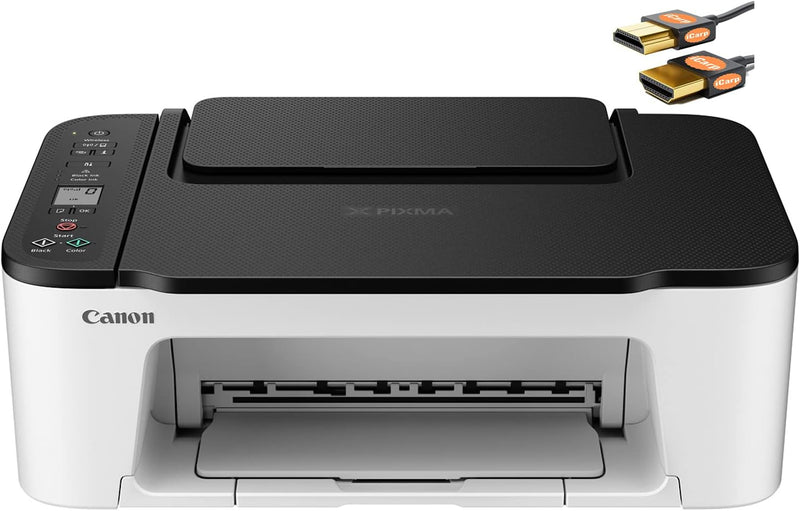
Canon PIXMA TS3522 Wireless All-in-One Inkjet Printer
4800 x 1200
Wireless printing, copying, and scanning for everyday home tasks — the Canon PIXMA TS3522 keeps things simple without sacrificing quality.
View price on Amazon
Affiliate Disclosure: As an Amazon Associate, Studio Supplies earns from qualifying purchases made through links on this page, at no additional cost to you. This helps support our editorial team.
Notice a mistake? Let Us Know
Overview
Key Features
Print Up to 7.7 ipm
Paper Handling Input 50 Sheets of Plain Paper
1.5" Segment LCD Display
Up to 4800 x 1200 dpi Print Resolution
Wireless, USB Connection【A HDMI Cable Included】
Specifications
Brand
Canon
Model
PIXMA TS3522
Printer Type
Wireless All-in-One Inkjet Printer
Print Speed (IPM)
Up to 7.7 ipm
Paper Handling Input
50 Sheets of Plain Paper
Display Type
1.5" Segment LCD Display
Print Resolution (Max)
Up to 4800 x 1200 dpi
Connectivity
Wireless, USB
Included Cable
HDMI Cable
Frequently Asked Questions
What wireless setup options does the TS3522 support, and is Bluetooth required?
The TS3522 connects via Wi-Fi — no Bluetooth required. Setup is handled through Canon's PRINT Inkjet/SELPHY app or the printer's guided wireless setup, which walks you through connecting to your home network. USB is also available as a wired fallback.
What is the actual print speed, and how does 7.7 ipm translate to real-world use?
7.7 images per minute (ipm) is the rated black-and-white print speed under standard conditions — color speeds will be lower. For a home printer handling letters, school assignments, and occasional photos, this is adequate. It's not a speed you'd choose for high-volume office printing.
Does the 4800 x 1200 dpi resolution produce quality photo prints?
4800 x 1200 dpi is the interpolated maximum resolution — fine detail in photos will render cleanly on Canon photo paper. For standard document printing, the resolution far exceeds what's perceptible. Photo output quality depends substantially on paper type; use Canon-branded photo paper for best color accuracy.
How many sheets does the paper tray hold, and what paper sizes are supported?
The input tray holds up to 60 sheets of plain paper. The printer supports standard letter and legal sizes, as well as photo paper in 4x6 and other common sizes.
What ink system does the TS3522 use, and how are replacement costs?
The TS3522 uses Canon CL-246 (color) and PG-245 (black) ink cartridges. Standard cartridges are widely available and modestly priced; XL versions offer better per-page cost for higher-volume users.
Related Products


