

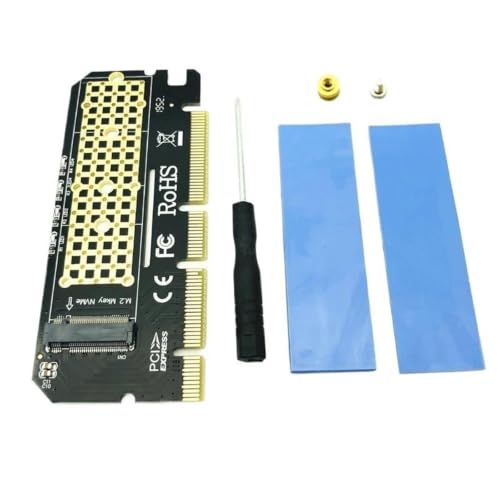


CFNXKTWBR
CFNXKTWBR PCIe x16 to M.2 NVMe SSD Adapter Card with LED
Turn an unused PCIe x16 slot into a high-speed mount for an M.2 NVMe SSD, complete with an LED indicator for at-a-glance status
View price on Amazon
Affiliate Disclosure: As an Amazon Associate, Studio Supplies earns from qualifying purchases made through links on this page, at no additional cost to you. This helps support our editorial team.
Notice a mistake? Let Us Know
Overview
Key Features
Memory Cards
Converts PCIe x16 slot for M.2 NVMe SSD installation. Equipped with LED working indicator for real-time status check. Offers steady high-speed data transfer, easy plug-and-play installation, great for boosting desktop storage speed and expanding SSD mounting space
Specifications
Brand
CFNXKTWBR
Interface
PCIe x16 slot
Supported Drive
M.2 NVMe SSD
Status Indicator
LED working indicator
Installation
Plug-and-play
Function
Converts PCIe x16 slot for M.2 NVMe SSD installation
Intended Use
Boosting desktop storage speed and expanding SSD mounting space
Frequently Asked Questions
What does this CFNXKTWBR adapter actually do for my desktop?
It converts a PCIe x16 slot into a mount for an M.2 NVMe SSD, letting you add fast solid-state storage to a desktop that has a spare full-length slot.
Do I need a free PCIe x16 slot to use this card?
Yes. The adapter installs into a PCIe x16 slot, so your desktop must have an available full-length slot for the card to seat properly.
What is the LED indicator on the card for?
The LED is a working indicator for a real-time status check. It gives a quick visual confirmation that the card is powered and active while your system runs.
Is installation complicated?
No. The card is designed for plug-and-play installation, so you seat it in the slot and mount your M.2 NVMe SSD without elaborate configuration.
Will this work with any M.2 SSD?
The listing specifies M.2 NVMe SSDs but does not detail supported lengths or PCIe generation, so confirm your drive's specs against your system before buying.
Related Products


