



Cooler Master
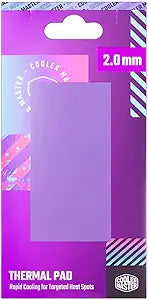
Cooler Master TPX-NOPP-9020-R1 2.0mm High Performance Thermal Pad
3w
13.3 W/mK nano-element conductivity bridges heatsink gaps on GPUs, VRMs, and SSDs where thermal paste alone can't reach.
$21.87*
Check availability
*Price sourced from Amazon.com. Last updated:Sep 14, 2026.Price and availability are subject to change — details.
Affiliate Disclosure: As an Amazon Associate, Studio Supplies earns from qualifying purchases made through links on this page, at no additional cost to you. This helps support our editorial team.
Notice a mistake? Let Us Know
Overview
Key Features
FORMULATED WITH NANO ELEMENTS - 13.3w/mK thermal conductivity for rapid cooling, capable of drawing high levels of heat.
NON-TOXIC AND NON-CORROSIVE - Safe and simple formula with electrically insulated and heat resistant properties to prevent hardening.
DOUBLE-SIDED ADHESIVE - Provides seamless and secure contact between surfaces.
VERSATILE AND EASY APPLICATION - Easily cut to the perfect size for your application.
WIDE RANGE OF APPLICATION - Electronic devices, motherboards, components (CPU, GPU, USICS, Hard Drives, Disk Drives, IGBT module), laptops and various products requiring cooling.
Specifications
Thickness
2.0mm
Thermal Conductivity
13.3 w/mK
Properties
Non-toxic, Non-corrosive, Electrically insulated, Heat resistant
Adhesive Type
Double-sided
Frequently Asked Questions
What does 13.3 W/mK thermal conductivity actually mean in practice?
It means this pad transfers heat significantly faster than budget thermal pads, which typically land in the 3–6 W/mK range. In practical terms, you can expect measurably lower junction temperatures on components like VRAM, VRMs, and M.2 SSDs where the pad bridges the physical gap between the chip and heatsink — a gap that thermal paste can't reliably fill due to its inability to maintain contact across distances.
Can this 2.0mm pad replace thermal paste for direct CPU or GPU die contact?
No — and it shouldn't. At 2.0mm, this pad is designed to fill gaps between components and heatsinks, not for direct die-to-cooler contact where ultra-thin paste or liquid metal is appropriate. Using it on a bare CPU die would introduce unnecessary thermal resistance from the extra material thickness.
Is this pad safe to use directly on VRAM chips or VRM MOSFETs?
Yes. The pad is electrically insulated, so bridging across adjacent components or traces won't cause a short circuit. This is critical for VRAM and VRM applications where pads often span multiple chips in close proximity.
How do I size this pad for my GPU's VRAM array?
The pad sheet can be cut with scissors or a clean blade to any shape required. Measure the VRAM chip array or the contact area on your heatsink, mark the pad, and cut. The double-sided adhesive holds the cut piece in place during installation.
Will the double-sided adhesive make re-entry difficult during future maintenance?
It does increase teardown effort compared to non-adhesive pads. The adhesive bond is firm enough that pulling the heatsink will require deliberate separation — be prepared for that during GPU disassembly. It won't damage components if removed carefully.
Related Products


