

Crucial
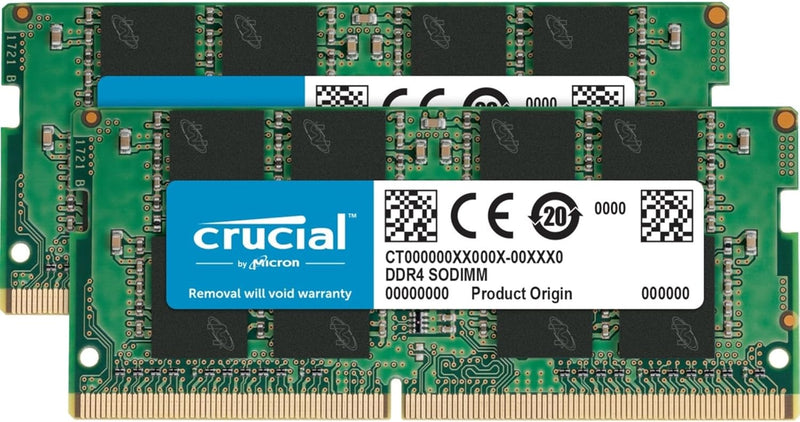
Crucial CT2K16G4SFD824A 32GB (2x16GB) DDR4 2400MHz Laptop RAM Kit
32GB of Micron-built DDR4-2400 in a matched SODIMM kit — eliminate the memory bottleneck that's slowing down your laptop's multitasking workload.
$194.45*$210.00Save 7%
View on Amazon
✓ In Stock on Amazon.com
*Price sourced from Amazon.com. Last updated:Oct 24, 2026.Price and availability are subject to change — details.
Affiliate Disclosure: As an Amazon Associate, Studio Supplies earns from qualifying purchases made through links on this page, at no additional cost to you. This helps support our editorial team.
Notice a mistake? Let Us Know
Overview
Key Features
260-pin SODIMM
DDR4-2400
Specifications
Model
CT2K16G4SFD824A
Total Capacity
32GB (2x16GB)
Memory Type
DDR4 SDRAM
Speed
2400 MHz (2400 MT/s)
Form Factor
260-pin SODIMM
Voltage
1.2V
Channel Configuration
Dual-channel (matched kit)
Compatible Devices
Laptop, PC (SODIMM slots)
Manufacturer
Crucial (Micron Technology)
Similar Products
Other products from the same family that visitors often consider:
 ✓ Available
Crucial CT2K16G4SFD8213 32GB (2x16GB) DDR4 SODIMM Kit
$221.49
View on Amazon → Currently Unavailable
Crucial BL2K16G32C16S4B Ballistix 32GB (2x16GB) DDR4 SODIMM
Check on Amazon → ✓ Available
Crucial CP2K16G4DFRA32A Pro 32GB (2x16GB) DDR4 3200MHz Desktop Memory
$229.99
View on Amazon → Currently Unavailable
Crucial BL2K16G32C16U4R Ballistix 32GB (2x16GB) DDR4 3200MHz Gaming Memory
Check on Amazon →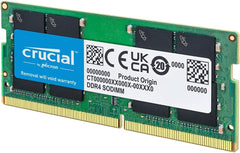 ✓ Available
Crucial CT32G4SFD832A 32GB DDR4 3200MHz SODIMM Laptop Memory
View on Amazon →Frequently Asked Questions
How do I confirm this kit will work in my specific laptop before purchasing?
This is a 260-pin SODIMM kit — the standard form factor for laptops and compact desktops, not full-sized desktop DIMMs. Crucial's online compatibility tool accepts your laptop's exact model number and confirms whether this kit is supported before you buy.
What does DDR4-2400 actually deliver compared to older DDR3 memory?
DDR4-2400 transfers data at 2400 megatransfers per second at 1.2V — lower operating voltage and higher bandwidth than typical DDR3-1600 configurations. The practical difference shows up most in memory-bandwidth-intensive tasks: video editing timelines, virtual machine performance, and running multiple large applications simultaneously without paging to disk.
My laptop currently has 16GB. Will upgrading to 32GB make a noticeable difference?
It depends on your workflow. If you regularly run out of available RAM — visible as high memory pressure in task manager, application slowdowns during multitasking, or sluggish browser performance with many tabs open — the jump to 32GB removes a real bottleneck. For basic email and document work, the improvement will be modest.
Should I install both modules together, or can I use just one 16GB stick?
Both modules should be installed simultaneously. Running them together enables dual-channel mode, which increases effective memory bandwidth compared to a single-channel single-module configuration. Installing only one stick also reduces your total capacity to 16GB.
Will the kit automatically run at 2400MHz, or does it require a BIOS change?
DDR4-2400 runs at rated speed on most modern laptops without BIOS adjustment, as 2400MHz is a standard DDR4 frequency. On some older platforms, memory may default to a lower speed — checking your system's memory configuration after installation confirms it's running at the rated spec.
Related Products


