

Crucial DDR3 / DDR3L Laptop Memory (CT*BF160B Family, 4GB / 8GB) — Editorial Review & Compatibility Guide
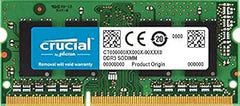
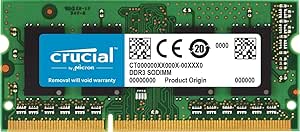
The Crucial DDR3/DDR3L SODIMM family (CT51264BF160B 4GB, CT102464BF160B 8GB single, CT2KIT51264BF160B 8GB 2×4GB kit) is Crucial's laptop DDR3 1600MHz memory line — for the large installed base of 2010-2016-era laptops + older NUCs + all-in-ones that use DDR3 SODIMM. Per Crucial's official DDR3 SODIMM product page, the line runs at PC3-12800 (1600 MT/s) CL11, 1.35V (DDR3L low-voltage, backward compatible with 1.5V DDR3 slots), and carries Crucial's QVL-tested compatibility for hundreds of legacy laptop models + a limited lifetime warranty.
What the Crucial DDR3 SODIMM Specifically Wins
- Breathes new life into 2010-2016 laptops — upgrading a 4GB DDR3 laptop to 8GB or 16GB is the single highest-impact, lowest-cost upgrade for an aging machine still in service
- DDR3L 1.35V — backward compatible with both 1.35V and 1.5V slots — works in low-voltage (DDR3L) and standard (DDR3) laptops. Verify the laptop's voltage; DDR3L is the safe universal choice
- 1600 MHz CL11 — the mainstream DDR3 laptop speed; matches the bus on most 2012+ laptops
- Crucial/Micron-built QVL compatibility — Crucial publishes a verified compatibility list for hundreds of legacy laptops + all-in-ones + NUCs
- Limited lifetime warranty
- Single 8GB module or matched 2×4GB kit — single module for adding to existing RAM; kit for dual-channel matched performance
- Compatible with legacy MacBook (pre-2012 unibody), Mac mini 2010-2012, older iMacs — Intel Macs of that era used user-replaceable DDR3 SODIMM
- Widely compatible with Dell / HP / Lenovo / ASUS / Acer laptops 2011-2016
Where the Crucial DDR3 SODIMM Specifically Fits
- Reviving an old laptop — 4GB → 8GB upgrade makes Windows 10/11 + Chrome usable again
- Older Dell Latitude / Inspiron, HP EliteBook / ProBook / Pavilion, Lenovo ThinkPad T-series (T420-T450), IdeaPad
- Legacy MacBook / MacBook Pro (2010-2012 unibody) — user-upgradeable RAM era
- Mac mini 2010-2012 — DDR3 SODIMM upgrade
- Older all-in-one PCs using DDR3 SODIMM
- Intel NUC (1st-4th gen) builds
- Linux revival of old hardware — lightweight distros + 8GB RAM extend laptop usable life by years
- Budget secondary / kids' / classroom laptops
- HTPC / home server from a retired laptop
- Retro / legacy software workstations needing DDR3 hardware
Honest Limits Buyers Should Know
- DDR3 only — NOT compatible with DDR4 or DDR5 laptops. DDR3, DDR4, DDR5 SODIMM have different keyway notch positions; they physically won't install in the wrong slot. Verify the laptop uses DDR3 (most laptops 2008-2015) before purchase. Newer laptops use CT2K16G4SFRA32A (DDR4) — see [[pdp-crucial-ct2k-sodimm-ddr4-3200-review]] — or DDR5
- Verify the laptop's MAX RAM. Many DDR3 laptops cap at 8GB or 16GB total. Some early ones cap at 4GB. Check the manufacturer spec or Crucial's compatibility tool
- Verify SODIMM slot count. Some thin laptops have one slot (max single-module capacity); others have two. Older laptops more often have two upgradeable slots
- DDR3L vs DDR3 voltage. DDR3L (1.35V) is backward compatible with 1.5V DDR3 slots, but pure 1.5V DDR3 modules may NOT work in 1.35V-only slots. DDR3L is the safe universal choice; verify if buying standard DDR3
- Diminishing returns on very old hardware. A 2011 Core i3 laptop with 8GB RAM is still slow (CPU + HDD bottleneck). Pair RAM upgrade with an SSD swap (Crucial MX500/BX500 SATA) for the biggest real-world improvement
- DDR3 is end-of-life — no new laptops use it. This is a legacy-support / revival product, not a forward-looking purchase
- Apple Silicon + most 2016+ laptops have soldered RAM. NOT upgradeable. DDR3 SODIMM only fits the user-replaceable-RAM era (~2008-2015)
- BIOS update sometimes needed for higher-capacity modules on older laptops
- Installation requires laptop disassembly — bottom panel removal; consult service manual / iFixit
Where Buyers Should Look Elsewhere
- DDR4 laptops (2015+) → Crucial CT2K16G4SFRA32A DDR4 SODIMM (see linked article)
- DDR5 laptops (2022+) → Crucial DDR5 SODIMM family
- Pair with SSD for best old-laptop revival → Crucial MX500 / BX500 SATA SSD (the bigger speed upgrade on old laptops)
- Desktop DDR3 → Crucial DDR3 DIMM (different form factor — UDIMM not SODIMM)
- Higher-capacity DDR3 SODIMM (16GB module) → 16GB DDR3 SODIMM where laptop supports it (less common, verify)
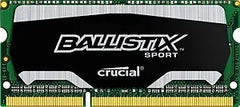
- Premium / enthusiast DDR3 → Crucial Ballistix Sport DDR3 SODIMM (slightly faster, gaming-tier)
- Apple Silicon Mac users → cannot upgrade RAM; buy higher-RAM model
- Just buy a new laptop → if the machine is pre-2012 + slow even with RAM + SSD, a refurbished modern laptop may be the better value
Sources & Citations
- Crucial, "DDR3 SODIMM laptop memory product page," crucial.com (accessed 2026-05-20)
- Crucial Compatibility Tool, "Legacy laptop DDR3 SODIMM compatibility lookup," crucial.com (accessed 2026-05-20)
- Tom's Hardware, "Laptop RAM upgrade guide," tomshardware.com (accessed 2026-05-20)
- iFixit, "Laptop SODIMM installation guides," ifixit.com (accessed 2026-05-20)
Last verified: 2026-05-20