



Dell
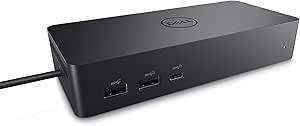
Dell 11358 Universal Dock UD22 Renewed
DisplayPort2.860 lbs
The Dell UD22 gives your laptop up to two external displays and a full port array through a single cable connection.
$139.00*$179.99Save 22%
View on Amazon
✓ In Stock on Amazon.com
*Price sourced from Amazon.com. Last updated:Oct 24, 2026.Price and availability are subject to change — details.
Affiliate Disclosure: As an Amazon Associate, Studio Supplies earns from qualifying purchases made through links on this page, at no additional cost to you. This helps support our editorial team.
Notice a mistake? Let Us Know
Overview
Key Features
UPC: 884116431442
Weight: 2.860 lbs
Monitor Support: Enhance your coworking spaces with consistent display support across different systems
Multiple Ports: With the highest number of ports on a universal dock, create a productive workstation with increased flexibility
130 W - 2 Displays Supported - 1 x HDMI Ports - HDMI - DisplayPort - Black - Wired
Specifications
Brand
Dell
Model
UD22
Condition
Renewed
UPC
884116431442
Weight
2.860 lbs
Monitor Support
2 Displays Supported
HDMI Ports
1
Video Ports
HDMI, DisplayPort
Color
Black
Connectivity
Wired
Power Delivery
130 W
Frequently Asked Questions
How many monitors can the Dell UD22 drive simultaneously, and at what resolution?
The UD22 supports up to 2 displays simultaneously. It provides 1 HDMI port and 1 DisplayPort output. Maximum resolution per display depends on the connected laptop's GPU and the dock's 130W power delivery — confirm your laptop's display output specifications before purchasing.
What is the total power delivery from the UD22, and will it charge my laptop?
The UD22 outputs 130W total, a portion of which is allocated to laptop charging via the host connection. Actual charging wattage to the laptop depends on the model — power-hungry gaming or workstation laptops may receive slower-than-rated charge while driving two displays under load.
Is the Dell UD22 compatible with non-Dell laptops?
The "Universal" designation means the UD22 is designed for broad compatibility via USB-C/Thunderbolt. Non-Dell laptops that support USB-C DisplayPort Alt Mode or Thunderbolt 3/4 should connect and function, though Dell-specific features like firmware updates may require Dell hardware.
What is the port count on the UD22, and does it include USB-A?
The UD22 offers the highest port count in its universal dock category. It includes HDMI, DisplayPort, and wired network (RJ-45) along with USB ports — the specific USB-A count and USB-C configuration should be confirmed in the full Dell spec sheet, as the listing highlights port density as a key differentiator.
Does the "Renewed" designation affect the dock's warranty or reliability?
Renewed units have been inspected and tested to functional standards, but they are not covered by a new Dell warranty — confirm the seller's warranty policy before purchasing. Docking stations are generally lower-risk renewed purchases than batteries or spinning drives, as they have no wear components.
Related Products


