

Dell
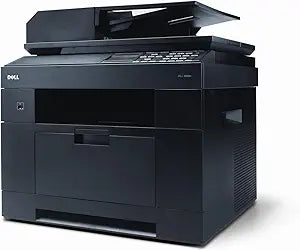
Dell 210-25257 2335DN Monochrome Multifunction Printer
Streamline Your Workflow with a Versatile Multifunction PrinterThe Dell 2335DN is a monochrome laser multifunction printer designed for small workgroups. This efficient device combines printing, copying, scanning, and faxing capabilities into a single, space-saving unit. Its robust features and r...
$650.00*
Check availability
*Price sourced from Amazon.com. Last updated:Aug 29, 2026.Price and availability are subject to change — details.
Affiliate Disclosure: As an Amazon Associate, Studio Supplies earns from qualifying purchases made through links on this page, at no additional cost to you. This helps support our editorial team.
Notice a mistake? Let Us Know
Overview
Streamline Your Workflow with a Versatile Multifunction Printer
The Dell 2335DN is a monochrome laser multifunction printer designed for small workgroups. This efficient device combines printing, copying, scanning, and faxing capabilities into a single, space-saving unit. Its robust features and reliable performance make it an excellent choice for enhancing office productivity.
Specifications:
- Brand: Dell
- Model: 210-25257
- Functions: Print, Copy, Scan, Fax
- Print Technology: Monochrome Laser
- Print Speed (Mono): Up to 35 ppm (Letter)
- Print Resolution: 1200 dpi
- Memory (Standard): 256 MB
- Processor Speed: 366MHz
- Duplex Printing: Built-in
- Network Connectivity: Fast Ethernet
- USB Port: Yes
- Monthly Duty Cycle: Up to 60,000 pages
- Facsimile Transmission Speed: Up to 3 seconds/page
Key Features
2335dn
Specifications
Model Number
2335DN
Functionality
Monochrome Multifunction Printer
Frequently Asked Questions
What type of printer is the Dell 210-25257 2335DN?
The Dell 2335DN is a monochrome multifunction printer, meaning it prints, scans, and copies in black and white.
Does this printer support color printing?
No, as a monochrome printer, the Dell 2335DN is designed exclusively for black and white printing.
Are there any specific details available about its printing speed or resolution?
The provided product features only list the model number "2335dn" and do not include specific details on print speed or resolution.
Can this printer connect to a network?
The "dn" in the model name (2335dn) typically indicates network connectivity and duplex (two-sided) printing capabilities.
What are the main functions of this device?
This is a multifunction printer, so its main functions include printing, scanning, and copying documents.
Related Products


