

Dell
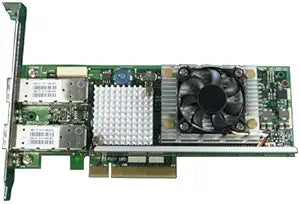
Dell 430-0710 Broadcom NetXtreme II 10 Gigabit Adapter
Dual-port 10 Gigabit Ethernet over PCIe x8 delivers serious bandwidth for servers and data-intensive network environments.
View price on Amazon
Affiliate Disclosure: As an Amazon Associate, Studio Supplies earns from qualifying purchases made through links on this page, at no additional cost to you. This helps support our editorial team.
Notice a mistake? Let Us Know
Overview
Boost Your Network Speed with the Dell Broadcom NetXtreme II Adapter
Upgrade your network infrastructure with the Dell Broadcom NetXtreme II 57711 Network Adapter. This PCI Express x8 adapter offers 10 Gigabit LAN connectivity across two ports, ensuring high-speed and reliable data transfer. Factory sealed and backed by a full manufacturer warranty, this adapter is a solid choice for enhancing network performance.
Specifications:
- Type: Network Adapter
- Interface: PCI Express x8
- Ports: 2
- Speed: 10 Gigabit LAN
- Condition: New Retail, Factory Sealed
Frequently Asked Questions
How many network ports does this adapter provide?
It features two 10 Gigabit Ethernet ports on a single card, allowing dual-homed configurations or link aggregation without occupying multiple PCIe slots.
What PCIe slot does this adapter require?
It uses a PCI Express x8 interface. It will also fit in x16 slots but requires at least an x8 slot for full bandwidth.
Is this adapter compatible with VMware ESXi and Linux?
The Broadcom NetXtreme II 57711 chipset is widely supported across enterprise operating systems including Windows Server, various Linux distributions, and VMware ESXi. Check Broadcom's compatibility matrix for your specific OS version.
Does this card support network features like VLAN tagging and jumbo frames?
The Broadcom 57711 chipset supports advanced features including VLAN tagging, jumbo frames, and TCP/IP offload, which reduce CPU overhead during high-throughput operations.
Is this a new or refurbished unit?
This is a new, factory-sealed retail unit backed by the full manufacturer warranty.
Related Products


