



Dell
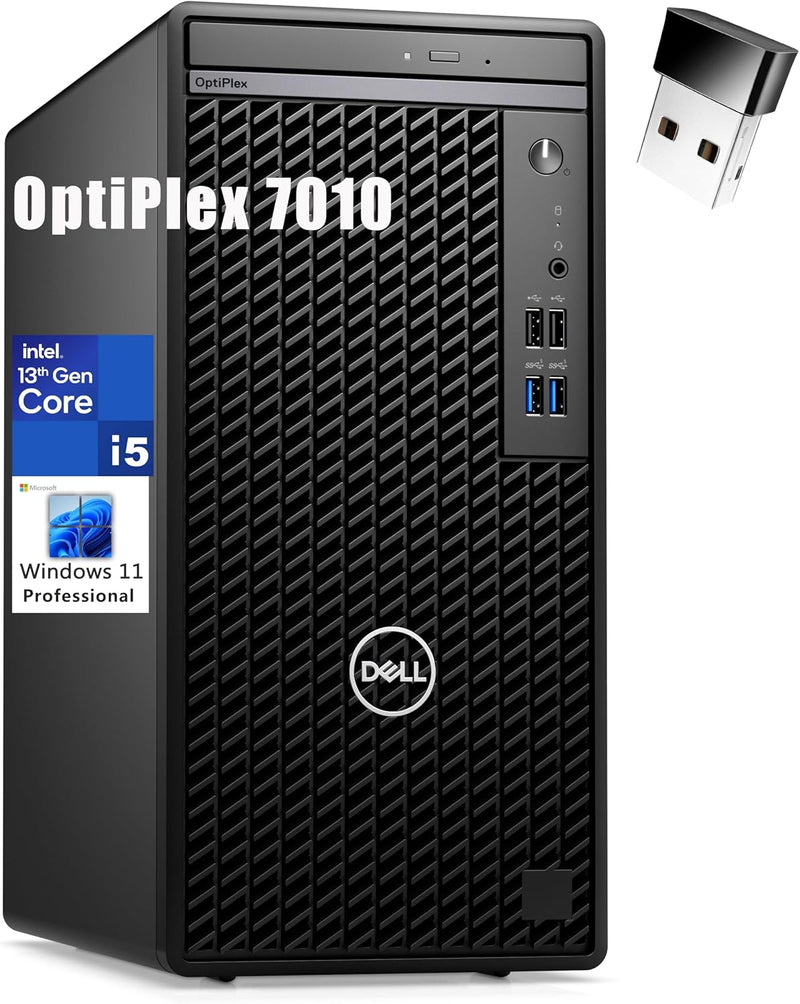
Dell 7010 Tower Desktop i5-13500 16GB 512GB SSD WiFi
UHDi5-1350016GB DDR4512GB SSDUSB 3.1
Intel's 13th Gen hybrid core architecture gives this OptiPlex 7010 Tower the multi-threaded muscle to handle modern business workloads without stalling.
$629.00*
Check availability
*Price sourced from Amazon.com. Last updated:Aug 28, 2026.Price and availability are subject to change — details.
Affiliate Disclosure: As an Amazon Associate, Studio Supplies earns from qualifying purchases made through links on this page, at no additional cost to you. This helps support our editorial team.
Notice a mistake? Let Us Know
Overview
Key Features
CPU: 13th Gen Intel Core i5-13500, 14C (6P + 8E) / 20T, P-core 2.5 / 4.8GHz, E-core 1.8 / 3.5GHz, 24MB.
RAM: 16GB DDR4 SDRAM; Hard Drive: 512GB PCIe SSD; Optical Drive: DVD+/-RW.
Graphics: Intel UHD Graphics 770 with shared graphics memory
【Note: No Built-in W-i-F-i】Port: 4 x USB Type-A (USB 3.1 / USB 3.2 Gen 1), 4 x USB Type-A (USB 2.0), 1 RJ-45 port 10/100/1000 Mbps, 1 x HDMI 1.4, 1 x DisplayPort 1.4, 1 x 1/8" / 3.5 mm Headphone/Microphone Input/Output, 1 x 1/8" / 3.5 mm Line Input/Output.
OS: Windows 11 Professional English 64bit.
Specifications
Model
Dell 7010 Tower Desktop
Processor
13th Gen Intel Core i5-13500
Processor Cores
14 (6 Performance + 8 Efficiency)
Processor Threads
20
P-core Max Clock Speed
4.8GHz
E-core Max Clock Speed
3.5GHz
Cache
24MB
RAM
16GB DDR4 SDRAM
Storage
512GB PCIe SSD
Optical Drive
DVD+/-RW
Graphics
Intel UHD Graphics 770
Operating System
Windows 11 Professional English 64bit
Frequently Asked Questions
What is the difference between the P-cores and E-cores on the i5-13500, and how does it affect performance?
The i5-13500 combines 6 Performance cores (P-cores, up to 4.8 GHz) and 8 Efficiency cores (E-cores, up to 3.5 GHz) for 20 total threads. Windows 11 schedules demanding tasks on P-cores for maximum speed while background and low-priority tasks run on E-cores, conserving power without sacrificing responsiveness.
How does 16GB DDR4 RAM compare to the 32GB configuration of similarly priced Dell OptiPlex models?
16GB DDR4 handles standard business workloads — document processing, video conferencing, moderate browser use — without hitting memory pressure. For workflows involving virtual machines, large datasets, or memory-intensive applications, 32GB provides a meaningful buffer. 16GB is adequate for most users but leaves less headroom for future multitasking growth.
The listing says no built-in Wi-Fi — does that mean wireless isn't available at all?
The listing notes no internal Wi-Fi card is installed, but the system includes wired ethernet (RJ-45 gigabit). A USB Wi-Fi adapter can add wireless if needed. For a deskbound machine, the wired ethernet connection is preferred for reliability and throughput regardless.
Is the 512GB PCIe SSD large enough for a business desktop?
512GB is sufficient for a primary OS drive with standard business software, documents, and email archives. For organizations managing large file libraries, video assets, or database workloads locally, an external drive or network storage is recommended alongside the 512GB internal SSD.
Can this system be upgraded with a discrete GPU later?
The OptiPlex 7010 Tower has a PCIe slot for GPU expansion, but the 180W power supply limits GPU options to low-TDP cards. A high-performance GPU upgrade would require simultaneously upgrading the PSU — plan for that cost if discrete graphics are a future requirement.
Related Products


