

Dell
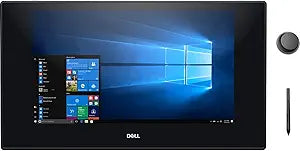
Dell Canvas 27 QHD Touchscreen Interactive Display Renewed
QHD2560 x 1440DisplayPort
Unleash Your Creativity with the Dell Canvas 27 Interactive Display The Dell Canvas 27 is an interactive pen and totem display designed for creative professionals. With its QHD resolution, multi-touch capabilities, and versatile connectivity options, this display provides a natural and intuitive...
View price on Amazon
Affiliate Disclosure: As an Amazon Associate, Studio Supplies earns from qualifying purchases made through links on this page, at no additional cost to you. This helps support our editorial team.
Notice a mistake? Let Us Know
Overview
Unleash Your Creativity with the Dell Canvas 27 Interactive Display
The Dell Canvas 27 is an interactive pen and totem display designed for creative professionals. With its QHD resolution, multi-touch capabilities, and versatile connectivity options, this display provides a natural and intuitive workspace for designers, artists, and engineers.
Specifications:
- Panel Type: IPS
- Size: 27 Inch
- Aspect Ratio: 16:9
- Resolution: 2560 x 1440
- Contrast Ratio: 1000:1
- Color Gamut: 109% CIE1931
Key Features
✨【 Dell Canvas 27 】 The Dell Canvas 27 Pen & Touch Graphics Tablet is a large drawing tablet created for designers, graphic artists and others who work in the creative field.
✨【 Measuring 27" 】 2560 x 1440 display provides users with plenty of screen real estate. Aside from the included stylus, users can also opt to use their fingers thanks to multi-touch support. For more control, the Dial Totem lets users draw with one hand and easily adjust settings with the other.
✨【 Connection 】 Connect this display to your system via USB Type-C, DisplayPort, or HDMI, and lift up its stand for a better working angle.
✨【 Hands-On 】 The Dell Canvas is designed for you to write and draw on with the included stylus, or your fingers. Its display features 20-points of touch recognition and its pen has 4096 levels of pressure sensitivity.
✨【 Dial Totem 】 The dial totem lets you access menus easily and intuitively for single-handed adjustments. Use it to change your brush width, color, and much more.
Specifications
Product Type
Interactive Display
Screen Size
27"
Display Resolution
2560 x 1440 (QHD)
Touchscreen Points
20-points
Stylus Pressure Sensitivity
4096 levels
Connectivity
USB Type-C, DisplayPort, HDMI
Included Accessories
Stylus, Dial Totem
Condition
Renewed
Frequently Asked Questions
What is the resolution of the Dell Canvas 27 interactive display?
The Dell Canvas 27 features a 2560 x 1440 QHD display, offering a large and detailed visual workspace for creative professionals.
How does the included stylus enhance the user experience on this display?
The stylus provides 4096 levels of pressure sensitivity, allowing for nuanced control and a natural feel when drawing or writing directly on the screen.
What connectivity options are available for the Dell Canvas 27?
This interactive display offers flexible connectivity through USB Type-C, DisplayPort, and HDMI, ensuring compatibility with various systems.
Can the Dell Canvas 27 be used with fingers as well as a stylus?
Yes, the display supports multi-touch input, featuring 20-points of touch recognition for interaction using your fingers in addition to the stylus.
What is the purpose of the Dial Totem accessory with the Dell Canvas 27?
The Dial Totem allows users to intuitively access and adjust settings, such as brush width or color, with one hand, streamlining the creative workflow.
Related Products


