



Dell
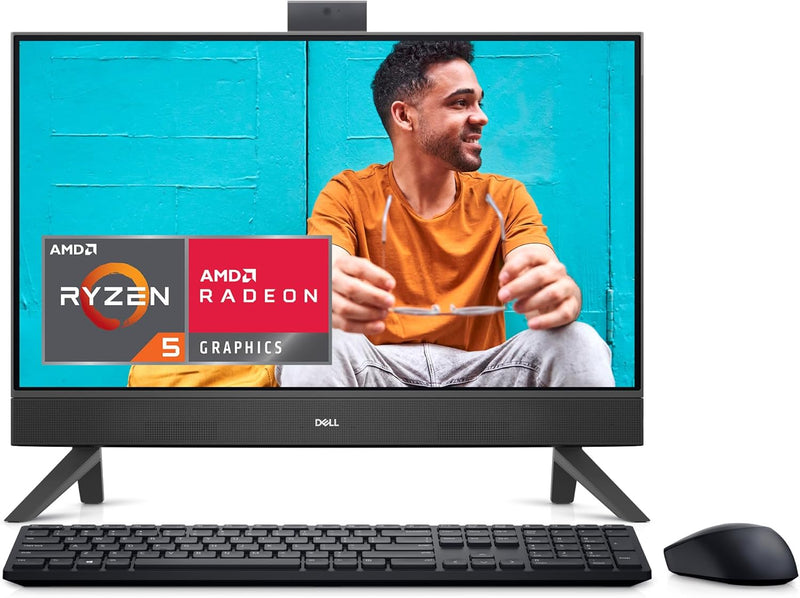
Dell i5415-A579BLK-PUS Inspiron 24" Touchscreen All-In-One
WiFi 6
A Ryzen 5 processor, 16GB RAM, and 1TB SSD in a 24-inch touchscreen all-in-one that handles family multitasking without the desktop footprint.
$799.99*$899.99Save 11%
Check availability
*Price sourced from Amazon.com. Last updated:Oct 24, 2026.Price and availability are subject to change — details.
Affiliate Disclosure: As an Amazon Associate, Studio Supplies earns from qualifying purchases made through links on this page, at no additional cost to you. This helps support our editorial team.
Notice a mistake? Let Us Know
Overview
Key Features
Narrow Borders: Narrow 4 side border look and feel with touch option for a clean and clear view of the display.
Innovative Stands: Create a keyboard parking underneath the display for cleaner aesthetic and better stability than old pedestal designs.
Easy On The Eyes: Enable low blue light viewing and a flicker-free panel for less stress on the eyes.
TV-Inspired Display: Stunning 24" All-In-One with TV-inspired design available in accent black solid color, with arch stand and plastic speaker mesh.
WIFI Technology: Allows for greater connectivity with WiFi 6.
Dell Services: 1 Year Onsite Service provides support when and where you need it. Dell will come to your home, office, or location of choice, if an issue covered by Limited Hardware Warranty cannot be resolved remotely.
Specifications
Display
23.8-inch FHD (1920×1080) Touchscreen
Processor
AMD Ryzen 5-7530U
Memory
16GB DDR4
Storage
1TB SSD
Graphics
AMD Radeon (integrated)
Operating System
Windows 11 Home
Wireless
WiFi 6
Color
Accent Black
Warranty / Service
1-Year Onsite Service
Frequently Asked Questions
Can the 16GB DDR4 RAM in the Inspiron 5415 be upgraded?
This depends on the specific configuration's memory architecture — AMD Ryzen U-series chips on this platform may use soldered memory. Before purchasing for upgrade intent, confirm whether the SO-DIMM slots are accessible. The 16GB starting configuration handles typical multitasking well without requiring an upgrade for most users.
What is the real-world performance difference between the AMD Ryzen 5-7530U and an Intel Core i5 at this price tier?
The Ryzen 5-7530U is a six-core, twelve-thread processor built on AMD's Zen 3 architecture. In productivity workloads — office applications, video conferencing, browser-heavy multitasking — it performs on par with or ahead of comparable Intel Core i5 offerings. It is not a GPU-accelerated workload chip; integrated AMD Radeon graphics serve general use and light content viewing, not rendering or gaming.
Does the 1TB SSD use NVMe or SATA interface?
Dell's Inspiron line at this price point typically ships with NVMe M.2 SSDs, which deliver substantially faster read/write speeds than SATA — boot times under 15 seconds and fast application load are the practical result. Confirm the specific interface in Dell's current product documentation for this SKU.
What connectivity ports are available on the Inspiron 5415 AIO?
Dell's product listing for this line typically includes USB-A, USB-C, HDMI, SD card reader, and a headphone/mic combo jack. The WiFi 6 wireless adapter handles network connectivity. Refer to Dell's current spec sheet for the complete port layout, as AIO configurations vary.
Does the touchscreen work with a stylus?
The display is a standard capacitive touch panel, which responds to finger input. Active stylus support depends on whether Dell has certified a compatible stylus for this model — passive styluses that mimic finger input will work, but precision active pen functionality is not specified in this product's feature set.
Related Products

