



Dell
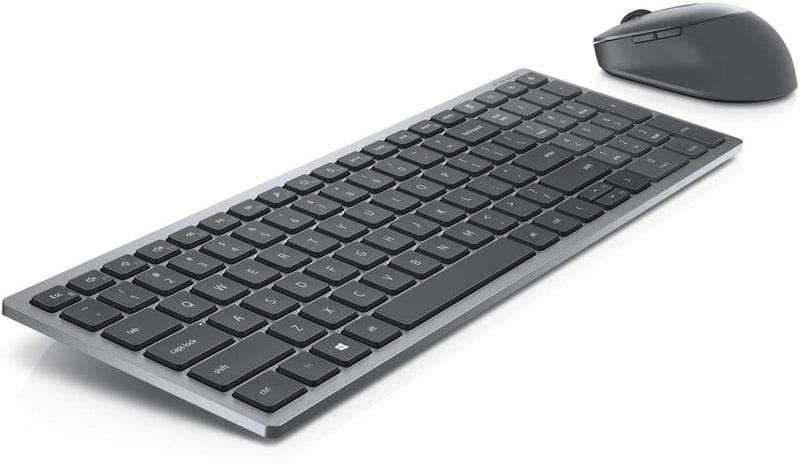
Dell KM7120W Wireless Keyboard and Mouse Combo Bluetooth 5.0
Bluetooth 5.02.350 lbs
Bluetooth 5.0 multi-device wireless that lets one keyboard and mouse run your entire cross-platform setup without a dongle in sight.
View price on Amazon
Affiliate Disclosure: As an Amazon Associate, Studio Supplies earns from qualifying purchases made through links on this page, at no additional cost to you. This helps support our editorial team.
Notice a mistake? Let Us Know
Overview
Key Features
UPC: 884116366959
Weight: 2.350 lbs
Programmable buttons
Specifications
Connectivity
Bluetooth 5.0
Power Source
Battery (3 AA batteries included)
Programmable Buttons
Yes
Compatible OS
Windows 7/8/10/11, macOS, Chrome OS, Ubuntu 18.4, RHEL 8, Android
Compatible Devices
Notebook, Desktop Computer
Weight
2.350 lbs (combo)
Model
KM7120W
Brand
Dell
Frequently Asked Questions
How many devices can the KM7120W connect to simultaneously, and how do you switch between them?
The KM7120W supports multi-device pairing via Bluetooth 5.0, allowing you to pair with multiple devices and switch between them — ideal for users running a laptop alongside a desktop or tablet. Switching is handled through a dedicated button on the keyboard.
Does it require a USB receiver, or is it purely Bluetooth?
It connects via Bluetooth 5.0 only — no USB dongle required. This keeps your USB ports free and works with any Bluetooth-enabled device including laptops, desktops, Macs, Android tablets, and Chromebooks.
What operating systems are officially supported?
Dell lists compatibility with Windows 7, 8, 10, and 11; macOS; Chrome OS; Ubuntu 18.4; Red Hat Enterprise Linux 8; and Android. It covers most mainstream platforms without additional driver installs.
What batteries does it use and how long do they last?
The combo runs on AA batteries — three included in the box. Battery-powered wireless peripherals at this class typically run for several months of normal office use before replacement, though heavy daily use will shorten that cycle.
Are the programmable buttons configurable on macOS and Linux, or only Windows?
Programmable button configuration typically requires Dell's peripheral software, which is primarily Windows-optimized. On macOS and Linux, the buttons will function at a basic level but full reprogramming may be limited.
Related Products


