

Dell
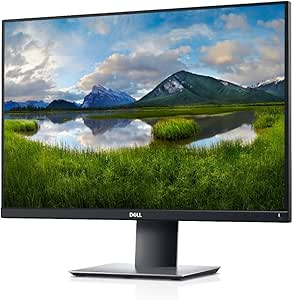
Dell P2421 24-inch WUXGA 1920x1200 Monitor
1920x1200DisplayPort
Maximize Productivity with the Dell P2421 Monitor Experience enhanced productivity with the Dell P2421 monitor. This 24" 16:10 display offers an extended vertical view, allowing you to see more and scroll less. With its practically borderless design and versatile connectivity, the P2421 is design...
$319.69*$350.99Save 8%
View on Amazon
✓ In Stock on Amazon.com
*Price sourced from Amazon.com. Last updated:Aug 29, 2026.Price and availability are subject to change — details.
Affiliate Disclosure: As an Amazon Associate, Studio Supplies earns from qualifying purchases made through links on this page, at no additional cost to you. This helps support our editorial team.
Notice a mistake? Let Us Know
Overview
Maximize Productivity with the Dell P2421 Monitor
Experience enhanced productivity with the Dell P2421 monitor. This 24" 16:10 display offers an extended vertical view, allowing you to see more and scroll less. With its practically borderless design and versatile connectivity, the P2421 is designed to keep you comfortable and connected.
Specifications:
- Display Size: 24 inch
- Aspect Ratio: 16:10
- Resolution: 1920x1200 (WUXGA)
- Panel Technology: IPS
- Bezel Design: Three-sided ultrathin bezel
- Connectivity: HDMI, DisplayPort, DVI
- Features: Flicker-free technology, ComfortView (reducing up to 60% of harmful blue light emissions)
- Adjustability: Tilt, Swivel, Pivot, Height Adjustable
- Color: Black
Key Features
View an extended vertical view on a tall 24” 16:10 WUXGA monitor
Convenient connectivity to any device you need with HDMI, DisplayPort and DVI.
Pivot, tilt, swivel and adjust the height of your monitor to your exact preference.
Work conveniently across multiple screens and select from predefined templates with the Easy Arrange feature on the Dell Display Manager software. Quickly tile and arrange your applications and get back to work faster with Auto-restore, a feature that remembers where you left of
Specifications
Model
P2421
Screen Size
24-inch
Resolution
WUXGA 1920x1200
Aspect Ratio
16:10
Connectivity
HDMI, DisplayPort, DVI
Adjustability
Pivot, Tilt, Swivel, Height Adjustment
Software Features
Dell Display Manager (Easy Arrange, Auto-restore)
Frequently Asked Questions
What is the resolution of the Dell P2421 monitor?
The Dell P2421 monitor features a WUXGA resolution of 1920x1200, providing an extended vertical view.
What connectivity options are available on this monitor?
The monitor offers convenient connectivity with HDMI, DisplayPort, and DVI inputs to connect to various devices.
Can the Dell P2421 monitor be adjusted for ergonomic comfort?
Yes, it allows you to pivot, tilt, swivel, and adjust the height to your exact preference for optimal ergonomic positioning.
How does the Dell Display Manager software improve productivity?
The Dell Display Manager software includes an Easy Arrange feature with predefined templates for working across multiple screens, and an Auto-restore feature that remembers application layouts.
Is this monitor suitable for tasks that require more vertical screen space?
Yes, its 16:10 aspect ratio and 1920x1200 resolution provide an extended vertical view, which is beneficial for tasks like coding or document editing.
Related Products

