

Dell
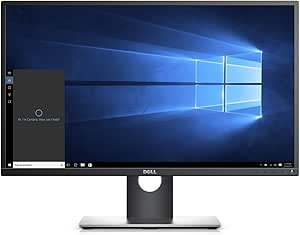
Dell P2717H 27" FHD Monitor - Refurbished
Enhanced Productivity with Clear VisualsThe Dell P2717H is a 27" monitor designed for greater productivity in the workplace. Featuring VGA, DisplayPort, and HDMI connectivity, along with a Full HD resolution, this monitor offers comfortable viewing and added convenience. Key Specifications: Scree...
View price on Amazon
Affiliate Disclosure: As an Amazon Associate, Studio Supplies earns from qualifying purchases made through links on this page, at no additional cost to you. This helps support our editorial team.
Notice a mistake? Let Us Know
Overview
Enhanced Productivity with Clear Visuals
The Dell P2717H is a 27" monitor designed for greater productivity in the workplace. Featuring VGA, DisplayPort, and HDMI connectivity, along with a Full HD resolution, this monitor offers comfortable viewing and added convenience.
-
Key Specifications:
- Screen Size: 27 inches
- Resolution: 1920x1080
- Connectivity: VGA, Display Port, HDMI
- Color: Black
Specifications
Display Size
27"
Resolution
FHD (1920x1080)
Brand
Dell
Model
P2717H
Product Condition
Refurbished
Frequently Asked Questions
Is the Dell P2717H a new monitor?
No, the Dell P2717H is a refurbished monitor, which generally means it has been restored to a functional and presentable condition.
What is the screen size of this Dell monitor?
This Dell P2717H monitor features a 27-inch display, providing a large viewing area for various tasks.
What is the resolution of the Dell P2717H monitor?
It offers a Full HD (FHD) resolution of 1920x1080 pixels, delivering clear visuals for general use.
Is this monitor suitable for professional graphics work or gaming?
While its FHD resolution is good for everyday tasks, specific features like refresh rate and response time, which are critical for professional graphics or gaming, are not mentioned.
What are the benefits of buying a refurbished monitor like the Dell P2717H?
Buying a refurbished monitor often provides a more affordable option to acquire a quality display compared to purchasing a brand-new equivalent.
Does this monitor come with a stand, and is it height adjustable?
The provided features do not specify details about the stand, such as height adjustability, which is common for Dell's P-series monitors.
What type of video inputs does the Dell P2717H support?
The available information does not detail the specific types of video input ports (e.g., HDMI, DisplayPort, DVI), so you may need to confirm compatibility based on your setup.
Related Products


