



Dell
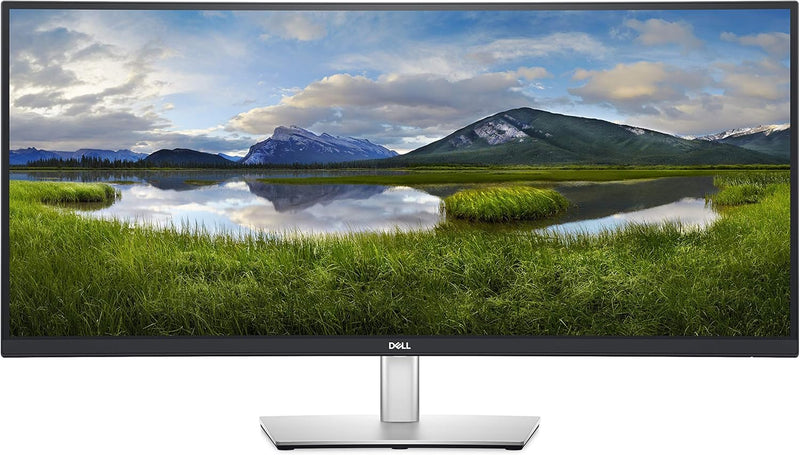
Dell P3421W 34-Inch Curved USB-C Ultrawide Monitor
USB-C
Experience Immersive Productivity with Stunning VisualsThe Dell 34-inch Curved USB-C Monitor delivers an immersive viewing experience with its ultrawide, WQHD resolution. Perfect for multitasking and productivity, this monitor combines comfort and performance in a sleek design. Screen Size:...
View price on Amazon
Affiliate Disclosure: As an Amazon Associate, Studio Supplies earns from qualifying purchases made through links on this page, at no additional cost to you. This helps support our editorial team.
Notice a mistake? Let Us Know
Overview
Experience Immersive Productivity with Stunning Visuals
The Dell 34-inch Curved USB-C Monitor delivers an immersive viewing experience with its ultrawide, WQHD resolution. Perfect for multitasking and productivity, this monitor combines comfort and performance in a sleek design.
- Screen Size: 34 Inches
- Resolution: WQHD (3440 x 1440) at 60Hz
- Curvature: 3800R
- Colors: 1.07 Billion Colors
- Ports: USB 2.0 (2), USB 3.0 (3)
- Adjustability: Tilt, Swivel, and Height Adjustable
Key Features
Immersive Productivity: See more and achieve more on this 34” ultrawide
Work Comfortably: Tilt, swivel and adjust the height of your monitor
Multitask Mode: Multitask effciently with two PC sources using built-in Picture-by-Picture and Keyboard, Video and Mouse (KVM) features.
Easy on the eyes: Optimize eye comfort with a flicker-free screen and Comfort View, a feature that reduces harmful blue light emissions.
Specifications
Display Size
34 inches
Display Type
Curved Ultrawide
Connectivity
USB-C
Ergonomics
Tilt, Swivel, Height Adjust
Multitasking Features
Picture-by-Picture (PBP), KVM
Eye Comfort Features
Flicker-free screen, Comfort View (reduces blue light)
Frequently Asked Questions
What is the specific resolution of the Dell P3421W 34-Inch Ultrawide Monitor?
The specific resolution is not provided in the product description, only that it is a 34-inch ultrawide display.
How does the curved screen benefit productivity on this monitor?
The curved screen provides an immersive viewing experience, helping users see more content at once and potentially enhancing focus across the ultrawide display.
Can the Dell P3421W charge my laptop via the USB-C connection?
While it features USB-C connectivity, the product description does not specify the power delivery capabilities of the USB-C port for laptop charging.
What does the KVM feature allow me to do with this monitor?
The KVM (Keyboard, Video, and Mouse) feature enables efficient multitasking by allowing you to control two PC sources with a single keyboard and mouse setup through the monitor.
Is the Dell P3421W suitable for gaming, or is it primarily for productivity?
The features listed, such as ultrawide display and eye comfort, are geared towards productivity; gaming-specific features like high refresh rates are not mentioned.
How do the Comfort View and flicker-free screen features improve eye comfort?
Comfort View reduces harmful blue light emissions, and a flicker-free screen minimizes eye strain, both contributing to improved eye comfort during extended use.
What are the available video input ports on the Dell P3421W besides USB-C?
The product description highlights USB-C, but does not list other specific video input ports like HDMI or DisplayPort.
Related Products

