

Dell
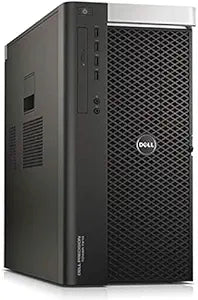
Dell Precision T7910 Creo Workstation Renewed
Dell Precision T7910 renewed workstation delivers 10-core Xeon power and Quadro P4000 graphics for professional CAD and content creation.
View price on Amazon
Affiliate Disclosure: As an Amazon Associate, Studio Supplies earns from qualifying purchases made through links on this page, at no additional cost to you. This helps support our editorial team.
Notice a mistake? Let Us Know
Overview
Accelerate Your Workflow with Dell Precision 7910
The Dell Precision 7910 Workstation offers a blend of power and reliability for professional applications. Designed for demanding tasks such as CAD and content creation, this renewed workstation provides the performance needed for complex projects.
Specifications:
- Processor: E5-2687w V3 10 Cores 3.1Ghz
- Memory: 16GB RAM
- Storage: 250GB NVMe SSD
- Graphics: P4000
- Operating System: Windows 10 (Renewed)
Frequently Asked Questions
What types of professional work is the Precision T7910 best suited for?
With its 10-core Xeon E5-2687W V3 and Quadro P4000 GPU, this workstation is built for CAD applications like SOLIDWORKS and AutoCAD, 3D rendering, video editing, and other compute-intensive creative workflows.
What processor is installed in this Precision T7910?
It features an Intel Xeon E5-2687W V3 with 10 cores running at 3.1GHz, a high-frequency workstation chip designed for demanding compute tasks.
Does the T7910 support dual processors?
Yes, the Dell Precision T7910 chassis supports dual CPUs. This configuration includes one processor, but there is a second socket available for expansion.
Can the 16GB of RAM be upgraded?
Yes, the Dell Precision T7910 supports up to 512GB of DDR4 ECC RAM across its multiple DIMM slots, making 16GB a very modest starting point that is easily expanded.
Does the Quadro P4000 offer advantages over consumer GPUs?
The Quadro P4000 features certified drivers for professional applications, 8GB of GDDR5 VRAM, and optimizations for CAD and 3D rendering accuracy that consumer GPUs do not provide.
Is the Quadro P4000 suitable for professional CAD applications?
Yes, the NVIDIA Quadro P4000 is an ISV-certified professional GPU with optimized drivers for applications like SolidWorks, AutoCAD, Creo, and Revit.
Is 16GB of RAM sufficient, and can it be upgraded?
16GB is a starting point for lighter professional workloads. The T7910 supports up to 512GB of DDR4 ECC RAM across its memory slots, making upgrades straightforward.
Is the 250GB NVMe SSD sufficient for daily use?
The 250GB NVMe SSD works well as a fast boot and application drive, but most users will want to add a larger secondary drive for project files and data storage.
What does the renewed condition include?
The workstation has been professionally inspected, tested, and restored to full working order with a clean install of Windows 10.
What storage does this configuration include?
It comes with a 250GB NVMe SSD, which provides fast boot and application loading times. Additional drives can be installed in the available bays.
Related Products


