


Price history
EMASDGEY
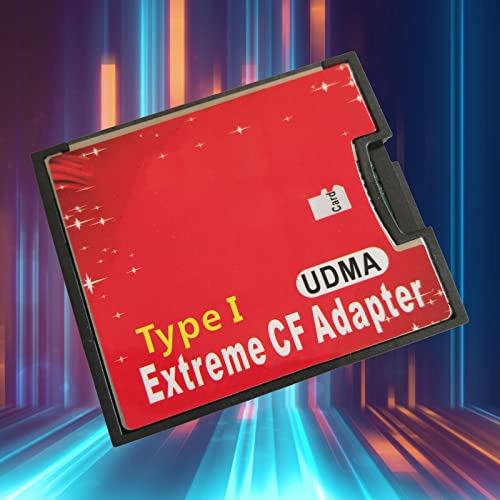
EMASDGEY Micro-SD to Compact Type I Memory Card Reader Adapter
A push-push adapter that lets your microSD or TF card slot straight into Compact Type I hardware
$14.39*
View on Amazon
✓ In Stock on Amazon.com
*Price sourced from Amazon.com. Last updated:Aug 03, 2026.Price and availability are subject to change.
Affiliate Disclosure: Studio Supplies may earn a commission from qualifying purchases made through links on this page, at no additional cost to you. This helps support our editorial team.
Notice a mistake? Let Us Know
Overview
Key Features
Equipped with push-push Micro-SD socket
Supports IDE mode / memory mode / mode
Supports for / OS /
High-Speed interface with extreme performance
Instructions: Insert the media card into this adapter, then insert the adapter to the socket of the device.To extract the inserted media card, please push it again and then remove it
Specifications
Brand
EMASDGEY
Product Type
Memory card reader adapter
Input Card
Micro-SD / TF
Output Interface
Compact Type I
Ports
Single port
Socket Type
Push-push Micro-SD socket
Supported Modes
IDE mode / memory mode
Interface Speed
High-speed interface
Frequently Asked Questions
What kind of memory card does this EMASDGEY adapter actually accept?
It accepts a single Micro-SD or TF card, which seats into a push-push socket. The adapter then presents that card to your device through a Compact Type I interface.
How do I remove a card once it is inserted into the adapter?
Push the card inward once more and it releases, letting you remove it. The push-push socket uses the same press action for both loading and ejecting the card.
Can this reader handle more than one card at a time?
No. It is a single-port design that reads one Micro-SD or TF card at a time, so it cannot read several cards or multiple formats simultaneously.
What operating systems or devices does it work with?
The listing references OS support and IDE and memory modes only in general terms. Buyers with strict compatibility requirements should confirm their specific device before purchase.
How do I set up the adapter for first use?
Insert your media card into the adapter, then insert the adapter into your device's socket. There is nothing extra to configure beyond that simple two-step process.
Related Products


