

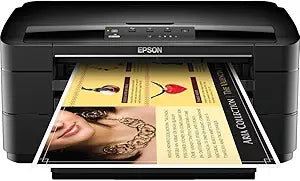
Epson
Epson C11CB59201 WorkForce WF-7010 Wide-Format Printer
Print Wide-Format Documents with the Epson WorkForce WF-7010The Epson WorkForce WF-7010 is a wide-format color inkjet printer designed for professional-quality prints up to 13" x 19". Offering the World's Fastest print speeds in its class, this printer is perfect for businesses needing large-form...
$856.89*
Check availability
*Price sourced from Amazon.com. Last updated:Aug 29, 2026.Price and availability are subject to change — details.
Affiliate Disclosure: As an Amazon Associate, Studio Supplies earns from qualifying purchases made through links on this page, at no additional cost to you. This helps support our editorial team.
Notice a mistake? Let Us Know
Overview
Print Wide-Format Documents with the Epson WorkForce WF-7010
The Epson WorkForce WF-7010 is a wide-format color inkjet printer designed for professional-quality prints up to 13" x 19". Offering the World's Fastest print speeds in its class, this printer is perfect for businesses needing large-format documents with vibrant colors and sharp text.
Specifications
- Brand: Epson
- Model: C11CB59201
- Type: Wide-Format Color Inkjet Printer
- Maximum Print Size: 13" x 19"
- Paper Capacity: 500 Sheets (2 x 250-sheet trays)
- Connectivity: Ethernet
- Ink Type: DURABrite Ultra Ink (Smudge, fade, and water-resistant)
Key Features
World's Fastest one and two-sided print speeds
Professional prints up to 13" x 19"
Two 250-sheet trays for different paper sizes/types
40% lower printing cost than color laser
Specifications
Model Number
C11CB59201
Print Speed
World's Fastest (one and two-sided)
Maximum Print Size
13" x 19"
Paper Trays
Two 250-sheet trays
Printing Cost Comparison
40% lower than color laser
Format
Wide-Format
Frequently Asked Questions
What is the maximum print size the Epson WorkForce WF-7010 can handle?
The Epson WorkForce WF-7010 Wide-Format Printer can produce professional prints up to a size of 13" x 19".
How many paper trays does this printer have, and what is their capacity?
This printer is equipped with two 250-sheet trays, allowing for the simultaneous loading of different paper sizes or types.
Is this printer cost-effective compared to color laser printers?
Yes, it is stated to offer a 40% lower printing cost than color laser printers, providing an economical option for color output.
What is notable about the print speed of the WorkForce WF-7010?
The Epson WorkForce WF-7010 boasts the world's fastest one and two-sided print speeds, making it efficient for high-volume tasks.
Does this printer support duplex printing (two-sided)?
Yes, it supports two-sided printing, and it does so at the world's fastest speeds according to the features.
Are there any details on the print resolution or ink type?
Specific details regarding the print resolution or the type of ink used are not provided in the available features.
What kind of connectivity options does the printer offer?
The available features do not specify the connectivity options (e.g., USB, Ethernet, Wi-Fi) for this printer.
Related Products


