



Epson
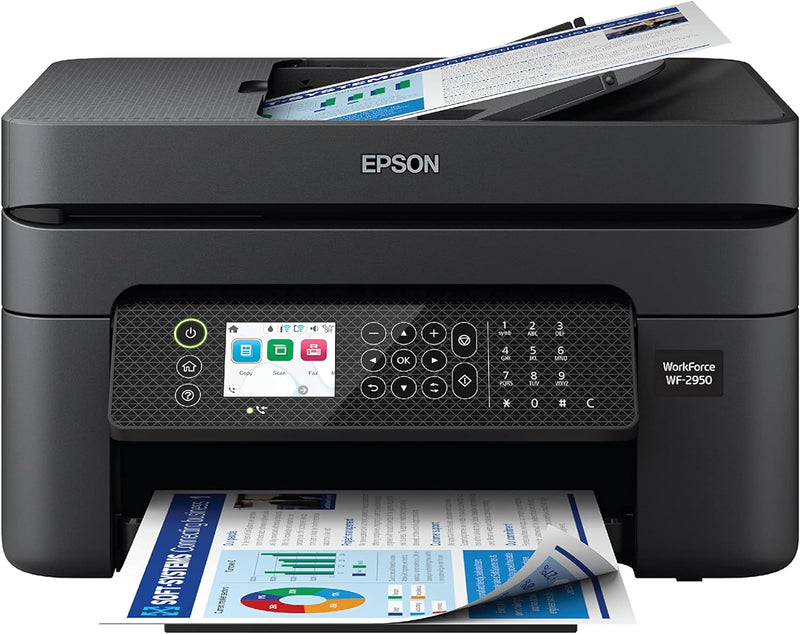
Epson Workforce WF-2950 Wireless All-in-One Printer
The Epson WorkForce WF-2950 delivers sharp prints, scans, copies, and faxes with wireless ease and automatic two-sided printing.
$97.00*
Check availability
*Price sourced from Amazon.com. Last updated:Aug 29, 2026.Price and availability are subject to change — details.
Affiliate Disclosure: As an Amazon Associate, Studio Supplies earns from qualifying purchases made through links on this page, at no additional cost to you. This helps support our editorial team.
Notice a mistake? Let Us Know
Overview
Key Features
Professional-Quality Home Office Printing — Epson’s leading-edge printing technology delivers sharp text and vibrant color graphics
Stress-Free Setup and Operation — Features a large 2.4" color display for effortless navigation, plus easy installation and operation through your smartphone or tablet using the Epson Smart Panel app (1)
Engineered for Reliability — Consistently delivers high-quality prints with heat-free technology and a permanent printhead designed to last the life of the printer
Convenient Connectivity — Supports easy wireless connections and printing from Android or iOS devices (2)
Efficient, Economical Design — Automatic 2-sided printing helps you save paper and reduce paper waste
Easy, Affordable Color Printing — Individual ink cartridges make it easy to only replace the ink you need
Hands-Free, Voice-Activated Printing — Easily print on-the-go using Alexa and Siri (3)
Versatile Functionality — Create searchable PDFs and more with included Epson ScanSmart scanning software
Epson Printing System Is Designed to Be Used Exclusively with Epson Genuine Cartridges — Use of non-genuine ink could cause damage not covered under the printer’s limited warranty
Print with voice: Connect your printer to Alexa to print a variety of content with your voice
Specifications
Brand
Epson
Model
C11CK62201
Functions
Print, Scan, Copy, Fax
Display
2.4" Color Display
Duplex Printing
Automatic 2-Sided
Ink System
Individual Ink Cartridges
Connectivity
Wireless (Wi-Fi), Android, iOS
Voice Assistants
Alexa, Siri
Printhead
Permanent, Heat-Free Technology
Software
Epson Smart Panel, Epson ScanSmart
Frequently Asked Questions
Does the WF-2950 support automatic two-sided printing?
Yes, the WF-2950 includes automatic duplex printing, which prints on both sides of the page without manual flipping, helping save paper.
What type of ink cartridges does the WF-2950 use?
It uses individual ink cartridges, so you only need to replace the specific color that runs out rather than an entire multi-color cartridge.
Can I print from my smartphone or tablet?
Yes, the WF-2950 supports wireless printing from both Android and iOS devices through the Epson Smart Panel app, and also supports voice-activated printing via Alexa and Siri.
Does this printer include a document feeder?
Yes, the WF-2950 features an automatic document feeder for multi-page scanning, copying, and faxing without manually feeding each page.
What size is the display on the WF-2950?
The printer has a 2.4-inch color display for easy navigation through settings and functions.
Related Products


