

Epson
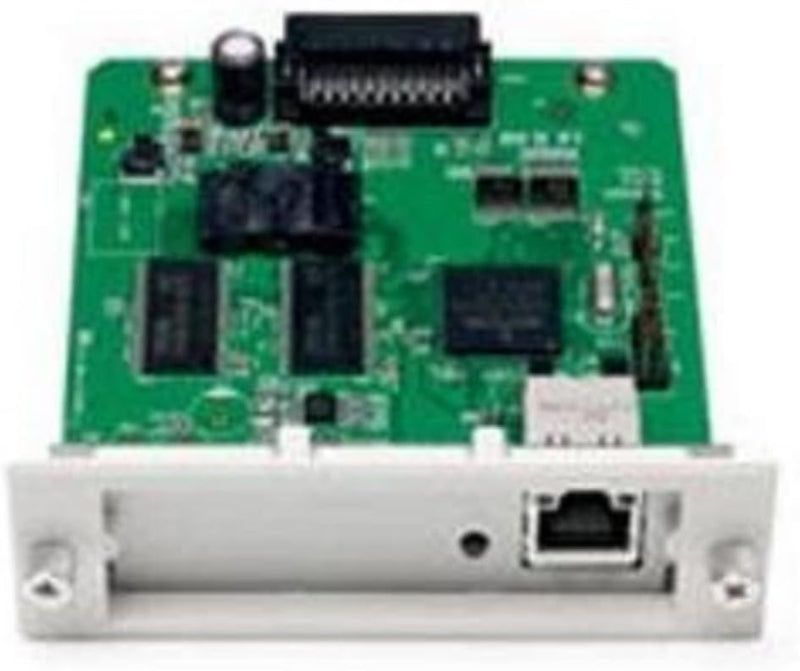
Epson C12C824352 10/100Base-TX Ethernet Print Server
Turn compatible Epson printers into shared network devices with this internal 10/100 Ethernet print server.
$370.09*
View on Amazon
✓ In Stock on Amazon.com
*Price sourced from Amazon.com. Last updated:Oct 07, 2026.Price and availability are subject to change — details.
Affiliate Disclosure: As an Amazon Associate, Studio Supplies earns from qualifying purchases made through links on this page, at no additional cost to you. This helps support our editorial team.
Notice a mistake? Let Us Know
Overview
Key Features
Quickly converts many Epson printers with a Type B slot into network printers (includes some Epson Stylus printers, all Epson Stylus Pro series printers and most Epson impact printers)
Works With DFX-5000+, DFX-9000, FX-890, FX-2190, LQ-590, LQ-680Pro, LQ-2080, LQ-2090, LQ-2180 Impact Printers, and Epson Stylus Pro 4800.
Provides an intuitive installation wizard for easy setup and configuration on Ethernet networks from any Windows or Macintosh workstation or Internet browser - Automatically detects the network speed (10 Mbps or 100 Mbps).
Supports Windows 95/98/ME/NT/2000/XP, Novell NetWare, Linux, UNIX, and Macintosh OS 7.x or later (including OS X).
Specifications
Brand
Epson
Model
C12C824352
Interface Type
Internal Ethernet (Type B Slot)
Network Speed
10/100 Mbps (Auto-Detect)
Supported OS
Windows 95/98/ME/NT/2000/XP, Novell NetWare, Linux, UNIX, Macintosh OS 7.x or later (including OS X)
Compatible Printers
DFX-5000+, DFX-9000, FX-890, FX-2190, LQ-590, LQ-680Pro, LQ-2080, LQ-2090, LQ-2180, Stylus Pro 4800
Frequently Asked Questions
Which Epson printers are compatible with the C12C824352 print server?
This print server works with Epson printers that have a Type B interface slot, including the DFX-5000+, DFX-9000, FX-890, FX-2190, LQ-590, LQ-680Pro, LQ-2080, LQ-2090, LQ-2180 impact printers, and the Epson Stylus Pro 4800.
Does the print server automatically detect the network speed?
Yes, it auto-detects whether the network is running at 10 Mbps or 100 Mbps and adjusts accordingly.
What operating systems does this print server support?
It supports Windows 95/98/ME/NT/2000/XP, Novell NetWare, Linux, UNIX, and Macintosh OS 7.x or later, including OS X.
How is the print server installed into the printer?
It installs into the Type B interface slot on the back of compatible Epson printers. An included installation wizard guides setup and configuration from any Windows, Macintosh, or web browser interface.
Related Products


