



Epson
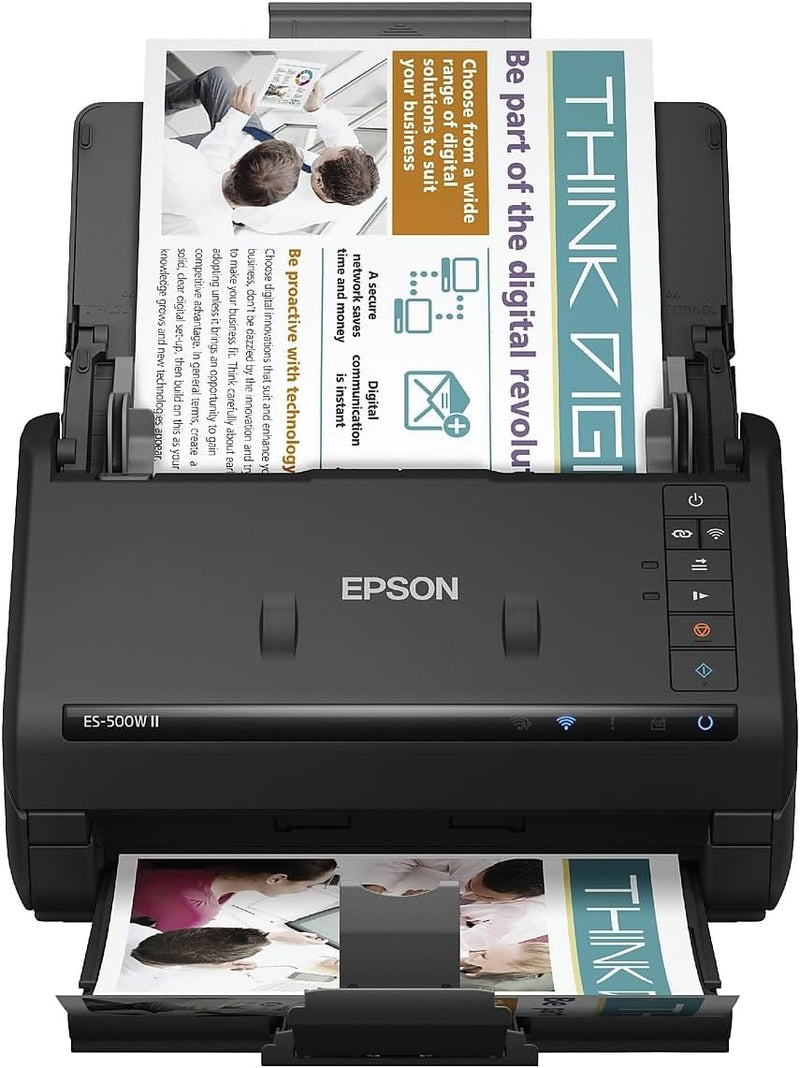
Epson ES-500W II Wireless Duplex Document Scanner
500W
Efficient and Wireless Document Management The Epson WorkForce ES-500W II wireless duplex desktop document scanner streamlines your document workflow with fast, reliable scanning. Featuring a 50-sheet Auto Document Feeder and wireless connectivity, it's the perfect solution for home or office. ...
$369.99*$419.99Save 11%
View on Amazon
✓ In Stock on Amazon.com
*Price sourced from Amazon.com. Last updated:Oct 09, 2026.Price and availability are subject to change — details.
Affiliate Disclosure: As an Amazon Associate, Studio Supplies earns from qualifying purchases made through links on this page, at no additional cost to you. This helps support our editorial team.
Notice a mistake? Let Us Know
Overview
Efficient and Wireless Document Management
The Epson WorkForce ES-500W II wireless duplex desktop document scanner streamlines your document workflow with fast, reliable scanning. Featuring a 50-sheet Auto Document Feeder and wireless connectivity, it's the perfect solution for home or office.
Specifications:
- Brand: Epson
- Model: ES-500W II
- Scanner Type: Document Scanner
- Connectivity: Wi-Fi
- Scan Speed: Up to 35 ppm / 70 ipm
- Document Feeder: 50-sheet ADF
- Software: Epson ScanSmart Software
- Compatibility: PC and Mac
Key Features
Easy wireless scanning — scan to smartphones, tablets, computers and online cloud storage accounts (1) from your desktop, smartphone or tablet using the Epson Smart Panel mobile app (3)
Get organized in a snap — scan up to 35 ppm/70 ipm (1); Single-Step Technology captures both sides in one pass
Quickly scan stacks of paper — robust 50-sheet Auto Document Feeder easily accommodates multiple paper types and sizes in one batch
Powerful software included — easy scanning with intuitive Epson ScanSmart Software (2); preview, email, upload to the cloud and more; automatic file naming saves time
Seamless integration with most software solutions — the included TWAIN driver allows you to easily incorporate your data into most document management software
Easy sharing and collaboration — email or upload to popular cloud storage services (2) such as Dropbox, Evernote, Google Drive and OneDrive
Simplified file management — create searchable PDFs with included Optical Character Recognition (OCR); convert scanned documents to editable Word and Excel files
Intelligent color and image adjustments — auto crop, blank page skip, background removal, dirt detection and paper-skew correction with Epson Image Processing Technology
Reliable paper feeding system — Ultrasonic Double Feed Detection prevents missing pages; also prevents damage from staples
Versatile scanning of everyday documents — scan extra long pages up to 240", business/ID cards, contracts and more
Specifications
Scanning Speed
Up to 35 ppm/70 ipm
Duplex Scanning
Yes (Single-Step Technology)
Automatic Document Feeder (ADF) Capacity
50 sheets
Wireless Connectivity
Yes
Mobile App Compatibility
Epson Smart Panel
Software Included
Epson ScanSmart Software, TWAIN driver
Cloud Storage Compatibility
Dropbox, Evernote, Google Drive, OneDrive
OCR Capability
Yes (Searchable PDFs, editable Word/Excel)
Image Adjustments
Auto crop, blank page skip, background removal, dirt detection, paper-skew correction
Paper Feeding System
Ultrasonic Double Feed Detection
Maximum Document Length
240"
Frequently Asked Questions
Can this scanner scan documents wirelessly?
Yes, the Epson ES-500W II offers easy wireless scanning directly to smartphones, tablets, computers, and online cloud storage accounts using the Epson Smart Panel mobile app.
How quickly can this scanner process documents?
This scanner can scan up to 35 pages per minute (ppm) and 70 images per minute (ipm), capturing both sides of a document in a single pass.
What types of documents can the Auto Document Feeder handle?
The robust 50-sheet Auto Document Feeder can easily accommodate multiple paper types and sizes, including extra-long pages up to 240 inches, business cards, and ID cards, in one batch.
Does the scanner come with software for document management?
Yes, it includes intuitive Epson ScanSmart Software for easy scanning, previewing, emailing, and uploading to the cloud, along with automatic file naming. It also has a TWAIN driver for broader compatibility.
Can I create searchable PDF files with this scanner?
Yes, the scanner includes Optical Character Recognition (OCR) to create searchable PDFs and can also convert scanned documents into editable Word and Excel files.
What features does it have to ensure reliable paper feeding?
It features a reliable paper feeding system with Ultrasonic Double Feed Detection to prevent missing pages and also prevents damage that can be caused by staples.
Does this scanner offer any image correction features?
Yes, it includes intelligent color and image adjustments such as auto crop, blank page skip, background removal, dirt detection, and paper-skew correction using Epson Image Processing Technology.
Related Products


