



Epson
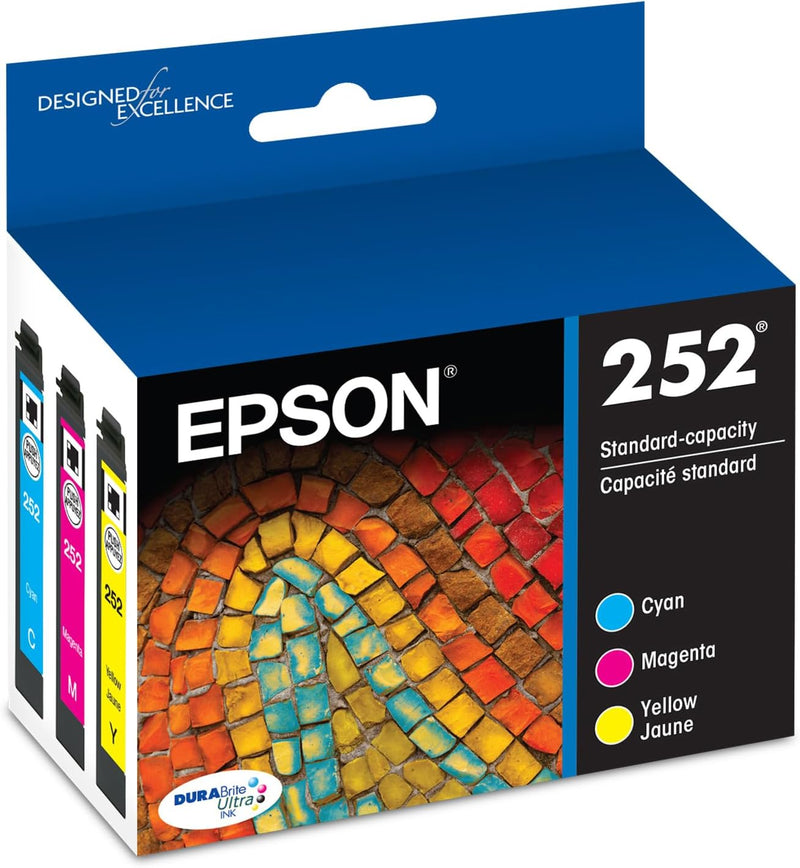
Epson T252520-S DURABrite Ultra Ink Color Combo Pack
Individual cyan, magenta, and yellow DURABrite Ultra cartridges deliver smudge-proof, water-resistant color prints across eight WorkForce models.
$44.95*
View on Amazon
✓ In Stock on Amazon.com
*Price sourced from Amazon.com. Last updated:Oct 09, 2026.Price and availability are subject to change — details.
Affiliate Disclosure: As an Amazon Associate, Studio Supplies earns from qualifying purchases made through links on this page, at no additional cost to you. This helps support our editorial team.
Notice a mistake? Let Us Know
Overview
Key Features
Better quality than the lab
Worry free handling : smudge, fade and water resistant prints
Convenient individual ink cartridges
Contains Pigment Ink.
Specifications
Ink Type
DURABrite Ultra (Pigment)
Colors Included
Cyan, Magenta, Yellow
Capacity
Standard
Compatible Printers
WF-3620, WF-3640, WF-7110, WF-7210, WF-7610, WF-7620, WF-7710, WF-7720
Media Compatibility
Plain paper, glossy photo paper
Water Resistance
Yes
Smudge Resistance
Yes
Fade Resistance
Yes
Frequently Asked Questions
Which Epson printers are compatible with the T252520-S combo pack?
This pack works with the WorkForce WF-3620, WF-3640, WF-7110, WF-7210, WF-7610, WF-7620, WF-7710, and WF-7720. It is not cross-compatible with other Epson ink lines — the T252 cartridge series is specific to these WorkForce models.
Does the combo pack include black ink?
No. The T252520-S includes only the three color cartridges — cyan, magenta, and yellow. Black ink (T252120-S) is sold separately, which is by design: individual cartridge replacement means you only buy what you actually deplete.
How does DURABrite Ultra differ from standard dye-based inks?
DURABrite Ultra is a pigment-based ink, which means the colorant particles sit on top of the paper rather than soaking in. This gives it measurably better water and smudge resistance than dye inks, and better longevity on plain paper — critical for documents that will be handled, filed, or mailed.
Will these cartridges work on glossy photo paper?
Yes. Epson rates DURABrite Ultra for both plain and glossy photo paper, producing highly saturated output on coated surfaces without the bleeding or wicking you'd see with dye inks on uncoated stock.
What happens if I use third-party ink in a compatible WorkForce printer?
Epson explicitly states that non-genuine cartridges can cause printer damage not covered under warranty. Beyond the warranty risk, third-party pigment formulations can clog the micro-piezo print heads in WorkForce models — a repair that often costs more than several sets of OEM cartridges.
Related Products


