

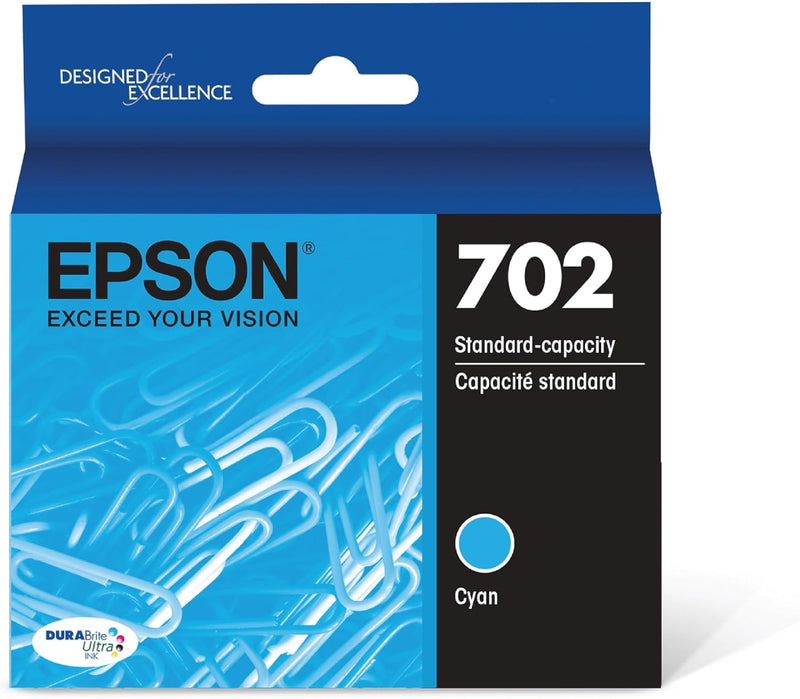


Epson
Epson T702220-S Cyan DURABrite Standard Ink Cartridge
Fast-drying DURABrite Ultra pigment ink delivers sharp text and accurate color for WorkForce Pro document printing at standard capacity.
$15.99*
Check availability
*Price sourced from Amazon.com. Last updated:Oct 09, 2026.Price and availability are subject to change — details.
Affiliate Disclosure: As an Amazon Associate, Studio Supplies earns from qualifying purchases made through links on this page, at no additional cost to you. This helps support our editorial team.
Notice a mistake? Let Us Know
Overview
Key Features
Epson printing system is designed to be used exclusively with Epson Genuine Cartridges. Use of non-genuine ink could cause damage not covered under the printer’s ltd. wnty.
Sharp text and brilliant colors for print-shop-quality results
Fast-drying pigment ink for worry-free handling
Convenient individual ink cartridges
Compatible Printers: WF-3720, WF-3730, WF-3733
Specifications
Brand
Epson
Model
T702220-S
Color
Cyan
Ink Type
DURABrite Ultra Pigment Ink
Capacity
Standard Capacity
Compatible Printers
WorkForce Pro WF-3720, WF-3730, WF-3733
Cartridge Format
Individual Color Cartridge
Frequently Asked Questions
Which printers is the T702220-S cartridge compatible with?
The T702220-S is compatible with three Epson WorkForce Pro models: WF-3720, WF-3730, and WF-3733. It is not interchangeable with other Epson cartridge families — verify your printer model before ordering.
Which specific printer models is this T702220-S cartridge compatible with?
It is compatible with three Epson WorkForce Pro models: WF-3720, WF-3730, and WF-3733. It will not function in other Epson lines such as Expression or EcoTank.
What is the difference between DURABrite Ultra ink and standard dye-based ink?
DURABrite Ultra is a pigment-based ink, meaning the colorant particles sit on top of the paper fibers rather than soaking in. This results in faster drying, reduced smearing on plain paper, and better resistance to water and highlighter bleed compared to dye-based inks.
What type of ink does DURABrite Ultra use, and why does it matter for document printing?
DURABrite Ultra uses pigment-based ink rather than dye-based ink. Pigment ink bonds to the surface of the page rather than absorbing into it, producing sharper text edges, higher water resistance, and faster dry times — characteristics that matter for professional documents handled immediately after printing.
What is the standard capacity page yield for the T702220-S?
Epson does not publish a specific page yield on the product page for the standard capacity variant. For precise yield numbers, consult Epson's official yield documentation for the 702 cartridge series, as yield varies by print coverage percentage and printer model.
Is this a standard or high-yield cartridge?
This is the standard-capacity version (T702). Epson also offers an XL high-yield variant (T702XL220-S) for higher-volume printing at a lower per-page cost. If you print frequently, the XL version may be more economical.
Can I use a third-party or refilled cyan cartridge in my WF-3720 instead?
Epson warns that using non-genuine ink can cause damage not covered by the printer warranty. Third-party cartridges may also trigger low-ink warnings or fail chip recognition, interrupting print jobs until an Epson cartridge is installed.
Can I use third-party cyan cartridges in my WF-3720 instead of this genuine Epson cartridge?
Epson states that use of non-genuine ink can cause damage not covered under the printer's limited warranty. Third-party cartridges may function but carry compatibility and warranty risk. The DURABrite Ultra system is calibrated for genuine Epson cartridges for optimal output quality and printhead longevity.
Does the T702220-S need to be replaced alongside the other color cartridges, or can it be replaced individually?
Yes, the individual cartridge design means you replace only the depleted cyan cartridge without touching the black, magenta, or yellow cartridges. This reduces ongoing ink costs compared to combined cartridge systems.
Does this cartridge work for photo printing or is it primarily for documents?
DURABrite Ultra ink performs well for both, but it's optimized for sharp business document output. Photo output is competent but not at the level of Epson's dedicated photo ink systems. For mixed document and photo workflows on these printers, it's an effective all-rounder.
Related Products


