



HP
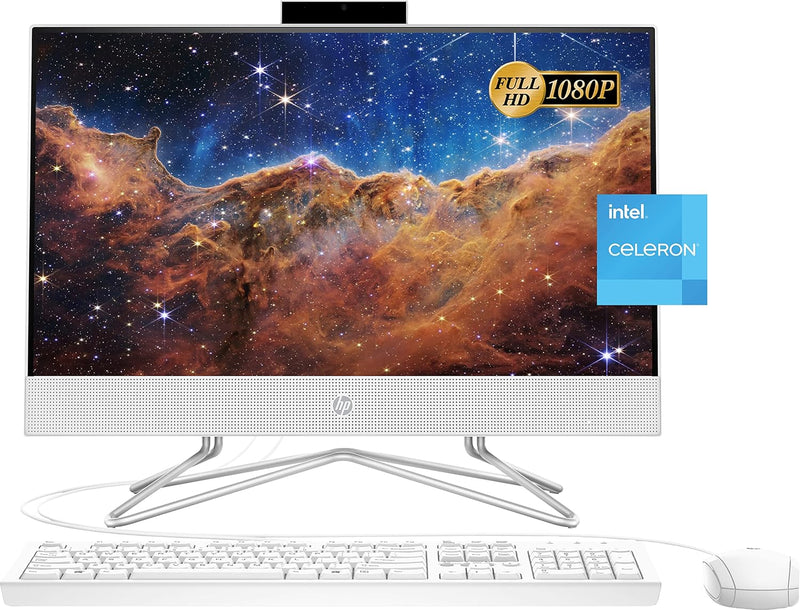
HP 22-df0224 All-in-One Desktop Celeron 12GB 256GB SSD
FHD1920 x 108012GB DDR4256GB SSDUSB 2.0
A space-saving 21.5-inch all-in-one desktop with 12GB RAM and fast SSD storage for everyday computing.
$349.99*
Check availability
*Price sourced from Amazon.com. Last updated:Oct 23, 2026.Price and availability are subject to change — details.
Affiliate Disclosure: As an Amazon Associate, Studio Supplies earns from qualifying purchases made through links on this page, at no additional cost to you. This helps support our editorial team.
Notice a mistake? Let Us Know
Overview
Key Features
【High Speed RAM And Enormous Space】12GB DDR4 RAM to smoothly run multiple applications and browser tabs all at once; 256GB PCIe M.2 Solid State Drive allows to fast bootup and data transfer
【Processor】Intel Celeron J4025 processor (2 Cores, 2 Threads, 4MB Cache, Base 2.0GHz up to 2.4GHz Max Turbo Frequency)
【Display】21.5" diagonal FHD VA ZBD anti-glare WLED-backlit three-sided micro-edge display, 250 nits, 72% NTSC (1920 x 1080)
【Tech Specs】2 x SuperSpeed USB Type-A 5Gbps signaling rate, 2 x USB 2.0 Type-A, 1 x HDMI 1.4, 1 x headphone/microphone combo, 1 x RJ-45; White wired keyboard & mouse, Windows 11 Home
【Authorized KKE Mousepad】Include KKE Mousepad
Specifications
Brand
HP
Model
22-df0224
Display
21.5" FHD (1920 x 1080) VA Anti-Glare WLED-Backlit
Brightness
250 nits
Color Gamut
72% NTSC
Processor
Intel Celeron J4025 (2 Cores, 2 Threads, 4MB Cache, 2.0GHz base / 2.4GHz turbo)
RAM
12GB DDR4
Storage
256GB PCIe M.2 SSD
Graphics
Intel UHD Graphics
Operating System
Windows 11 Home
USB Ports
2x USB 3.0 Type-A, 2x USB 2.0 Type-A
Video Output
1x HDMI 1.4
Audio
1x Headphone/Microphone Combo
Networking
1x RJ-45 Ethernet, Wi-Fi
Included Accessories
Wired Keyboard, Wired Mouse, KKE Mousepad
Dimensions
19.3 x 14.99 x 8.05 inches
Weight
12.56 pounds
Color
White
Frequently Asked Questions
What tasks is the Intel Celeron J4025 processor suitable for?
The Celeron J4025 handles everyday tasks well — web browsing, document editing, email, video streaming, and light multitasking. It is not designed for video editing, gaming, or other processor-intensive workloads.
Can I upgrade the RAM or storage on this all-in-one?
All-in-one desktops like this model generally have limited upgrade options due to their compact design. Check HP's documentation for this specific model before purchasing if upgradeability is important to you.
Does the HDMI port work as an input to use the screen as a monitor?
The HDMI 1.4 port on this unit is an output port, meaning you can connect an external display but cannot use the built-in screen as a monitor for another device.
Does this computer come with a keyboard and mouse?
Yes, a white wired USB keyboard and mouse are included in the box, along with a KKE mousepad.
Related Products

