



HP
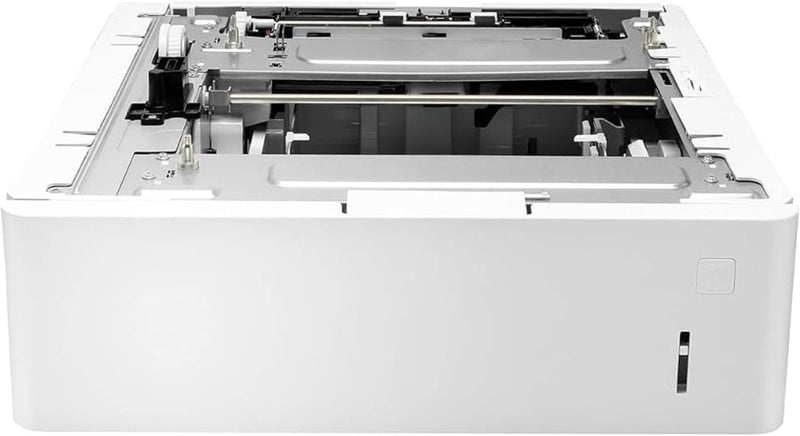
HP 2M3EY91 Laserjet 550 Sheet Paper Tray L0H17A
A 550-sheet paper tray that extends your HP LaserJet Enterprise printer's capacity for longer, uninterrupted print runs.
$215.00*$300.99Save 28%
View on Amazon
✓ In Stock on Amazon.com
*Price sourced from Amazon.com. Last updated:Aug 29, 2026.Price and availability are subject to change — details.
Affiliate Disclosure: As an Amazon Associate, Studio Supplies earns from qualifying purchases made through links on this page, at no additional cost to you. This helps support our editorial team.
Notice a mistake? Let Us Know
Overview
Key Features
This refurbished product is tested and certified to look and work like new. The refurbishing process includes functionality testing, basic cleaning, inspection, and repackaging. The product ships with all relevant accessories, and may arrive in a generic box
550 sheet paper tray
Allows longer printing without reloading paper
Supports paper sizes from A6 to legal
Specifications
Brand
HP
Model / Part Number
L0H17A (2M3EY91)
Type
Paper Feeder Tray
Input Capacity
550 sheets
Supported Paper Sizes
A6 to Legal
Compatibility
HP LaserJet Enterprise M607, M608, M609; HP LaserJet Managed E60055, E60065, E60075
Frequently Asked Questions
Which HP printers is this tray compatible with?
It is compatible with HP LaserJet Enterprise M607, M608, and M609 series printers, as well as HP LaserJet Managed E60055, E60065, and E60075 models.
What paper sizes does this tray support?
It supports paper sizes ranging from A6 up to legal size, giving you flexibility for envelopes, statements, letters, and legal documents from a single tray.
Can I add multiple 550-sheet trays to the same printer?
Most compatible HP LaserJet Enterprise models support stacking additional input trays, but the maximum number depends on your specific printer model. Check your printer's documentation for the supported tray configuration limit.
Does the tray require any software or driver changes after installation?
After physically installing the tray, you typically need to configure it in the printer's control panel and update the printer driver settings on connected computers so the operating system recognizes the additional tray as an input source.
Related Products


