



HP
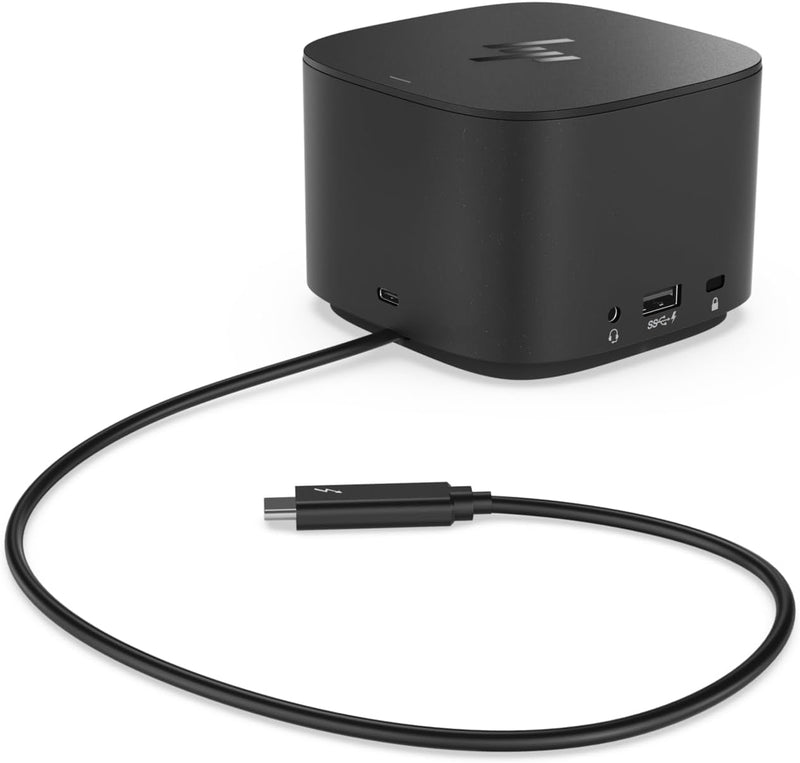
HP 6HP48AA#ABL Thunderbolt USB-C Dock 120W with HDMI Adapter
4K120WUSB-CUSB 3.1HDMI 2.0
One Thunderbolt cable connects eight ports, 4K display output, and 120W laptop charging — collapsing a tangle of adapters into a single dock.
$149.99*$179.99Save 16%
View on Amazon
✓ In Stock on Amazon.com
*Price sourced from Amazon.com. Last updated:Oct 24, 2026.Price and availability are subject to change — details.
Affiliate Disclosure: As an Amazon Associate, Studio Supplies earns from qualifying purchases made through links on this page, at no additional cost to you. This helps support our editorial team.
Notice a mistake? Let Us Know
Overview
Key Features
ALL-IN-ONE DOCK - Connect all of your workspace multi-OS devices with a single 0.7mm USB-C Thunderbolt cable through your laptop
HDMI ADAPTER - An additional USB-C to HDMI 2.0 adapter allows you to hook up your desktop monitor and other displays with ease
4K DISPLAYS - Maintain beautiful 4K image quality and detail when connected to external 4k displays
COMPATIBILITY - Supports HP and non-HP laptops, Mac OS X and Windows operating systems, and any device with a USB-C or Thunderbolt port
PORTS - USB-C Thunderbolt, USB 3.1, USB-C DisplayPort, DisplayPort, VGA, RJ45, AC Adapter, USB 3.1 charging
WARRANTY - Backed by a one-year limited warranty and HP technical support for a worry-free purchase
Specifications
Connection Interface
USB-C Thunderbolt (0.7m cable)
Power Delivery
120W
Display Ports
USB-C DisplayPort, DisplayPort, VGA
Included Adapter
USB-C to HDMI 2.0
Maximum Display Resolution
4K
USB Ports
USB 3.1, USB 3.1 Charging
Network
RJ45 Ethernet
OS Compatibility
macOS, Windows
Warranty
1-year limited
Frequently Asked Questions
Does this dock work with non-HP laptops and non-Windows operating systems?
Yes — the HP Thunderbolt Dock 120W supports both HP and non-HP laptops running macOS and Windows. The core dock functionality (USB, display output, Ethernet) works via standard Thunderbolt and USB-C protocols. Some HP-specific management features like BIOS updates through the dock are naturally HP-exclusive, but general connectivity is fully cross-platform.
What display configurations does this dock support, and at what maximum resolution?
The dock outputs 4K resolution to external displays via USB-C DisplayPort and DisplayPort ports. The included USB-C to HDMI 2.0 adapter adds a third display path. The maximum resolution and simultaneous display count depends on your laptop's Thunderbolt controller — most modern Thunderbolt 3/4 hosts can drive two 4K displays simultaneously through the dock.
How much power does the dock deliver to the connected laptop?
The dock delivers 120W of power delivery through the Thunderbolt USB-C cable, which is sufficient to charge most 15-inch and smaller business laptops at full rate. Some high-performance laptops with discrete GPUs may charge at a reduced rate under sustained load if the system's peak power draw exceeds 120W.
What USB ports are available, and what's the maximum charging output for connected devices?
The dock provides USB 3.1 ports and a dedicated USB 3.1 charging port. USB 3.1 Gen 1 delivers up to 5Gbps data transfer — fast enough for external SSDs, high-speed flash drives, and USB audio interfaces. The dedicated charging port supplies power to phones and tablets without requiring the host laptop to be active.
Is a separate driver installation required, or is this plug-and-play?
The dock is designed as largely plug-and-play on supported operating systems. Thunderbolt docks may prompt a one-time Thunderbolt device authorization on first connection on both Windows and macOS. HP's optional dock firmware update utility (Windows only) can apply dock firmware updates, but it is not required for standard operation.
Related Products


