



HP
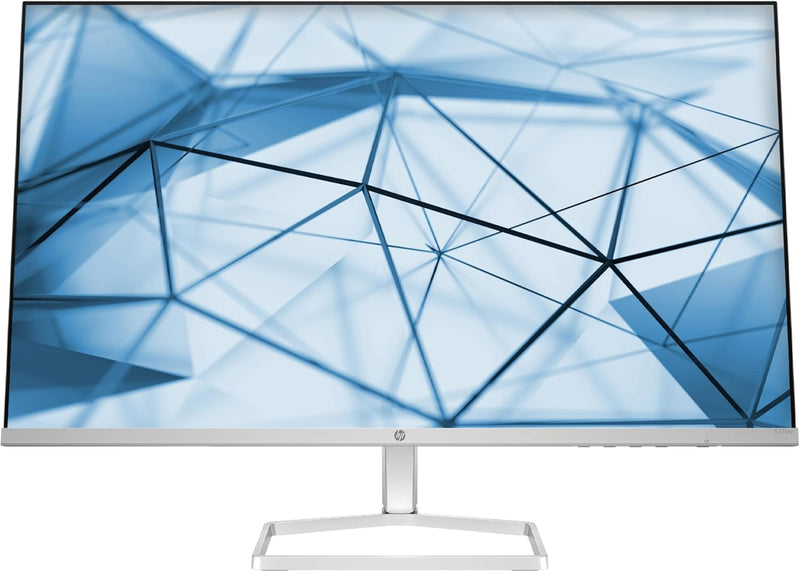
HP 94F46AA#ABA 27-Inch FHD IPS Monitor
★★★★★
FHD1920 x 1080
Immerse Yourself in Vivid Clarity and ComfortThe HP Series 5 27-inch FHD Monitor delivers exceptional visuals with vibrant colors and sharp details. Featuring an IPS panel, 99% sRGB color gamut, and HP Eye Ease technology, this monitor ensures a comfortable and immersive viewing experience for bo...
View price on Amazon
Affiliate Disclosure: Studio Supplies may earn a commission from qualifying purchases made through links on this page, at no additional cost to you. This helps support our editorial team.
Notice a mistake? Let Us Know
Overview
Immerse Yourself in Vivid Clarity and Comfort
The HP Series 5 27-inch FHD Monitor delivers exceptional visuals with vibrant colors and sharp details. Featuring an IPS panel, 99% sRGB color gamut, and HP Eye Ease technology, this monitor ensures a comfortable and immersive viewing experience for both work and entertainment.
- Screen Size: 27 Inches
- Resolution: FHD (1920 x 1080)
- Panel Type: IPS
- Color Gamut: 99% sRGB
- Contrast Ratio: 1500:1
- Brightness: 300 nits
- Refresh Rate: 100 Hz
- Features: HP Eye Ease with Eyesafe Certification, Adjustable Tilt
Key Features
COMPACT, SLEEK DESIGN - A beautiful monitor fit for any space with a sleek, thin-and-light profile and the option for seamless side-by-side screens. Integrated cable containment to cut the clutter.
FHD RESOLUTION - Focus on the finer details and enjoy sharp visuals and crystal clear images with the 1920 x 1080 FHD resolution on this 27" diagonal monitor
IPS PANEL - No matter where you stand, IPS technology ensures image accuracy and consistency across wide 178-degrees horizontal and vertical viewing angles
99% SRGB COLOR GAMUT- Ideal, consistent color reproduction with minimal effort
MORE CONTRAST - See the nuanced differences of color, shadow, and highlights thanks to the enhanced 1500:1 contrast ratio
300 NITS - 300 nits of brightness lets you see clearly. Enhance your visual performance for work or simply enjoying entertainment
100 HZ REFRESH RATE - With a 100 Hz refresh rate this monitor is capable of clearer details, smoothly moving from frame to frame, allowing for faster split-second reaction time
HP EYE EASE WITH EYESAFE CERTIFICATION - Help keep your eyes comfortable with an always-on, true-color, low-blue light filter
ADJUSTABLE TILT - The tilt-adjustable stand helps deliver the perfect view so you can maximize productivity and work comfortably
HP DISPLAY CENTER - Customize your display with easy, intuitive HP Display Center software
Specifications
Screen Size
27-Inch
Resolution
FHD (1920 x 1080)
Panel Type
IPS
Refresh Rate
100 Hz
Brightness
300 Nits
Contrast Ratio
1500:1
Color Gamut
99% sRGB
Blue Light Filter
HP Eye Ease with Eyesafe Certification
Stand Adjustment
Tilt-adjustable
Software
HP Display Center
Pros & Cons
👍 Pros
- Offers a sleek, thin-and-light profile and integrated cable containment to minimize desk clutter.
- Delivers sharp visuals and crystal clear images with its 1920 x 1080 FHD resolution on a 27-inch diagonal screen.
- Features an IPS panel, ensuring consistent image accuracy and wide 178-degree horizontal and vertical viewing angles.
- Achieves ideal, consistent color reproduction with a 99% sRGB color gamut, suitable for color-sensitive work.
- Provides enhanced contrast with a 1500:1 contrast ratio, revealing nuanced differences in colors, shadows, and highlights.
- Boasts 300 nits of brightness, allowing for clear visibility and improved visual performance for both work and entertainment.
- A 100 Hz refresh rate ensures smoother frame transitions, leading to clearer details and faster reaction times in dynamic content.
- Includes HP Eye Ease with Eyesafe Certification, an always-on, true-color, low-blue light filter designed for eye comfort.
- The tilt-adjustable stand allows users to achieve the perfect viewing angle for maximum productivity and comfort.
- Can be customized with the easy and intuitive HP Display Center software for personalized display settings.
👎 Cons
- The FHD resolution (1920 x 1080) on a 27-inch screen may result in a slightly lower pixel density compared to QHD or 4K monitors of the same size.
- While the 100 Hz refresh rate is good, it is not as high as the refresh rates found on dedicated gaming monitors for competitive play.
- The monitor offers adjustable tilt, but lacks other ergonomic adjustments like height, pivot, or swivel.
- Specific details about the available input ports (e.g., HDMI, DisplayPort, USB) are not provided in the features list.
- The 99% sRGB color gamut is excellent for general use, but users requiring wider color spaces like Adobe RGB or DCI-P3 might need more.
Frequently Asked Questions
What is the resolution and size of the HP 94F46AA#ABA monitor?
This HP monitor features a 27-inch diagonal screen with a Full HD (FHD) resolution of 1920 x 1080, providing sharp visuals and clear images.
Does the monitor offer wide viewing angles?
Yes, the HP 94F46AA#ABA monitor utilizes an IPS panel, which ensures image accuracy and consistency across wide 178-degree horizontal and vertical viewing angles.
What is the refresh rate of this monitor, and how does it benefit the user?
With a 100 Hz refresh rate, this monitor is capable of clearer details and smoothly moving from frame to frame, which allows for faster split-second reaction time.
Does the HP 94F46AA#ABA monitor have features to protect eye comfort?
Yes, it includes HP Eye Ease with Eyesafe Certification, which is an always-on, true-color, low-blue light filter designed to help keep your eyes comfortable.
Can the monitor's stand be adjusted?
The monitor comes with a tilt-adjustable stand, which helps you achieve the perfect viewing angle to maximize productivity and work comfortably.
Related Products


