

HP
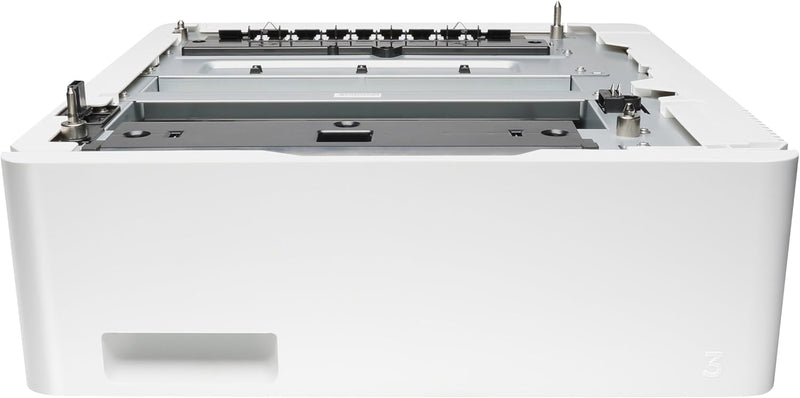
HP CF404A LaserJet 550-Sheet Feeder Tray - White
Add 550 sheets of extra input capacity to your compatible HP Color LaserJet Pro printer and spend less time reloading paper.
$223.99*
Check availability
*Price sourced from Amazon.com. Last updated:Aug 28, 2026.Price and availability are subject to change — details.
Affiliate Disclosure: As an Amazon Associate, Studio Supplies earns from qualifying purchases made through links on this page, at no additional cost to you. This helps support our editorial team.
Notice a mistake? Let Us Know
Overview
Key Features
Genuine HP paper tray
Add input capacity to increase uptime. Individuals and small work teams will enjoy greater productivity and smoother workflow without having to manage paper resources
Manage your business, not your printer. Save time by refilling your paper trays less often. Add this 550 sheet paper tray, for a total input capacity of 850 sheets, and print for longer without reloading paper
Compatible HP LaserJet Printers: HP Color LaserJet Pro M452nw, HP Color LaserJet Pro M452dn, HP Color LaserJet Pro M452dw, HP Color LaserJet Pro M454dn, HP Color LaserJet Pro M454dw, HP Color LaserJet Enterprise M455dn, HP Color LaserJet Managed E45028dn
Compatible HP LaserJet MFPs: HP Color LaserJet Pro MFP M477fnw, HP Color LaserJet Pro MFP M477fdn, HP Color LaserJet Pro MFP M477fdw, HP Color LaserJet Pro MFP M479fdn, HP Color LaserJet Pro MFP M479fdw, HP Color LaserJet Enterprise MFP M480f, HP Color LaserJet Managed MFP E47528f
What is in the box: HP LaserJet 550 sheet Feeder Tray; Install guide
ONE YEAR LIMITED HARDWARE Get help with 24 hour, 7 days a week FREE HP Web support
Specifications
Input Capacity
550 sheets
Model Number
CF404A
Color
White
Compatible Printers
HP Color LaserJet Pro M452dn, M452dw, M452nw, M454dn, M454dw, MFP M477fdn, M477fdw, M477fnw, MFP M479fdn, M479fdw
Frequently Asked Questions
Which HP printers are compatible with the CF404A feeder tray?
It is compatible with the HP Color LaserJet Pro M452 series (dn, dw, nw), M454 series (dn, dw), MFP M477 series (fdn, fdw, fnw), and MFP M479 series (fdn, fdw).
What paper sizes does this tray support?
The tray supports standard paper sizes used by its compatible printers, including Letter, Legal, and other common media sizes. Refer to your specific printer's documentation for the full list.
Is the feeder tray difficult to install?
No. The tray is designed to slide directly under compatible HP LaserJet printers without tools. The printer typically auto-detects the additional tray once installed.
Can I stack multiple CF404A trays on one printer?
This depends on your specific printer model and its maximum supported tray configuration. Consult your printer's specifications to confirm how many optional trays it supports.
Related Products


