



HP
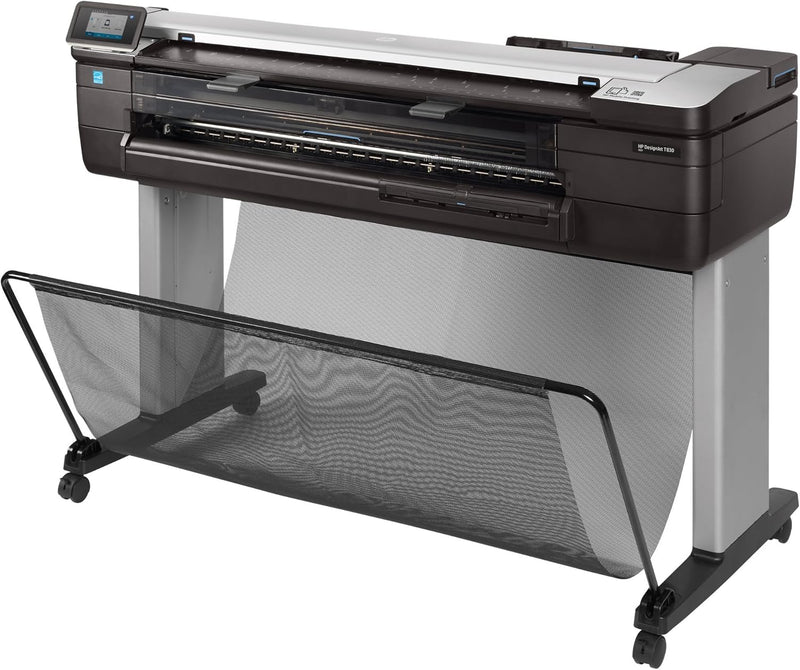
HP F9A30C#BCB DesignJet T830 36" Wireless MFP Printer
2400 x 1200
Large-Format Printing, Scanning, and Copying Made Easy The HP DesignJet T830 36" MFP is a compact and versatile solution for large-format printing, scanning, and copying. Designed for office and construction job sites, this MFP offers easy installation and user-friendly operation. With HP Click ...
Check availability
Affiliate Disclosure: As an Amazon Associate, Studio Supplies earns from qualifying purchases made through links on this page, at no additional cost to you. This helps support our editorial team.
Notice a mistake? Let Us Know
Overview
Large-Format Printing, Scanning, and Copying Made Easy
The HP DesignJet T830 36" MFP is a compact and versatile solution for large-format printing, scanning, and copying. Designed for office and construction job sites, this MFP offers easy installation and user-friendly operation. With HP Click printing software, printing project sets and PDF documents is a breeze.
- Maximum Resolution: Up to 2400 x 1200 optimized dpi
- Ink Color: Color
- Control Method: Touch
- Printing Technology: Inkjet
- Special Feature: Compact
- Color: Black
- Printer Output: Color
Key Features
Up to 2400 x 1200 optimized dpi
Specifications
Brand
HP
Model
DesignJet T830
Type
Wireless MFP Printer
Print Size
36 inches
Maximum Print Resolution
2400 x 1200 optimized dpi
Features
Print, Scan, Copy
Frequently Asked Questions
Is the HP DesignJet T830 suitable for architectural and engineering firms?
Yes, the 36" print size and high resolution of the HP DesignJet T830 make it very well-suited for printing architectural plans, engineering drawings, and other large-format technical documents.
What kind of paper types can this printer handle?
Large-format printers like the DesignJet T830 are typically designed to handle various roll and sheet media, including bond, coated, heavy-weight coated, and glossy papers, though specific compatibility should be verified.
How does the wireless functionality benefit a professional setting?
Wireless functionality allows multiple users to print from different devices without direct cable connections, offering greater flexibility in office layout and improved accessibility for team members.
What is the benefit of "optimized dpi" for print resolution?
Optimized dpi (dots per inch) refers to a software-enhanced resolution that intelligently places ink droplets to achieve higher detail and smoother gradients than the printer's native hardware resolution, resulting in superior print quality.
Related Products


