

HP
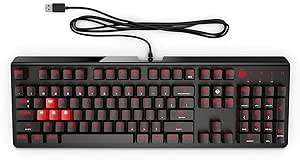
HP H4Q44UT#ABA Slim Bluetooth Wireless Keyboard
Sleek Wireless Typing for Enhanced Productivity The HP Slim Bluetooth Keyboard offers a thin and light design for comfortable and cable-free typing. Featuring convenient one-touch hotkeys for multimedia access, a low battery indicator, and instant Bluetooth pairing, this keyboard enhances your pr...
View price on Amazon
Affiliate Disclosure: As an Amazon Associate, Studio Supplies earns from qualifying purchases made through links on this page, at no additional cost to you. This helps support our editorial team.
Notice a mistake? Let Us Know
Overview
Sleek Wireless Typing for Enhanced Productivity
The HP Slim Bluetooth Keyboard offers a thin and light design for comfortable and cable-free typing. Featuring convenient one-touch hotkeys for multimedia access, a low battery indicator, and instant Bluetooth pairing, this keyboard enhances your productivity and provides a clutter-free workspace.
Specifications:
- Connectivity: Bluetooth 3.0
- Operating Distance: Up to 10 meters
- Features: One-touch hotkeys, Low battery indicator, LED pairing indicator
Key Features
Hp Slim Bluetooth Keyboard - Wireless - Bluetooth - Computer, Tablet - Multimedia Hot Key(s)
Specifications
Connectivity Technology
Wireless
Wireless Technology
Bluetooth
Device Support
Computer, Tablet
Hot Keys Type
Multimedia
Frequently Asked Questions
What devices can this HP Slim Bluetooth keyboard connect to?
This keyboard is designed to connect to both computers and tablets, offering versatile use across different types of devices.
Does this keyboard require any special cables for connection?
No, the HP Slim Bluetooth Keyboard connects wirelessly using Bluetooth technology, eliminating the need for physical cables to your device.
Are there dedicated keys for controlling media playback?
Yes, the keyboard features multimedia hot keys, which provide quick access to functions such as volume control and media playback.
Is this keyboard suitable for travel or on-the-go use with a tablet?
Given its slim design and Bluetooth connectivity, it is well-suited for portable use with a tablet, offering a more comfortable typing experience than an on-screen keyboard.
What type of wireless connection does this keyboard use?
This keyboard uses Bluetooth wireless technology for its connection, ensuring a clean setup without the need for additional dongles if your device has Bluetooth built-in.
Related Products


